Category: Uncategorized

  • Location Data Privacy: Protect Your Digital Footprint

    Location Data Privacy: Protect Your Digital Footprint

    Understanding Location Data Privacy in Today’s World

    People looking at their phones with map pins around them, symbolizing location tracking

    When you use your smartphone, a record of your movements is often made without you fully realizing it. Grasping the details of location data privacy is more than just a tech issue now; it’s a key part of daily life. The devices you carry and their applications continuously collect information about where you are, creating a clear map of your day-to-day activities.

    Unpacking the “How”: Sources of Location Data Collection

    This ongoing collection of your location doesn’t depend on just one type of technology. Instead, your smartphone and various services use several methods in concert. These techniques combine to determine your position with different levels of precision.

    Some of the main sources include:

    • GPS Coordinates: The Global Positioning System (GPS) offers very exact location details by talking to satellites. Navigation apps and other services needing pinpoint accuracy frequently use this.
    • WiFi Triangulation: Your device can figure out your approximate location by detecting nearby WiFi networks and their signal strength, even without GPS. Services use databases of WiFi hotspot locations to estimate your position.
    • Bluetooth Beacons: Tiny, low-power Bluetooth devices, known as beacons, are more and more common in shops, airports, and public spaces. Your phone can pick up signals from these beacons as you pass, letting apps know you’re in a very specific spot.
    • Cell Tower Triangulation: Your mobile service provider always knows which cell towers your phone is using. By checking the signal strength from several towers, your general area can be identified.

    This interconnected system of data gathering means that a detailed history of your physical whereabouts, from your journey to work to your activities in the evening, is continuously being created.

    The Value Proposition: Why Companies Covet Your Coordinates

    The drive behind such careful tracking of your location is its significant worth. This information is highly prized by businesses and advertisers because it helps them create in-depth profiles about your routines, what you like, and even forecast what you might do next. For instance, if data shows you often go to coffee shops, you might see specific ads for new coffee types or loyalty schemes for cafes.

    This appetite for data highlights increasing public apprehension. A large percentage of adults worldwide, around 85%, state they want to improve their online privacy protection by 2025. This sentiment is mirrored by 80% of people who report concerns about their online data being exposed. Specifically, 9 out of 10 Americans view their online privacy as a significant matter.

    Yet, fewer than 25% of smartphone users in America feel they command their personal data online. The widespread tracking on mobile devices is evident as over 72% of apps on Apple iOS monitor private user data. Notably, free apps are four times more inclined to do this than paid applications. You can find more detailed statistics about data privacy on ExplodingTopics.com.

    The gathered information is used for directed advertising, market studies, and making services more personal, often in ways that aren’t apparent at first glance. Understanding these core ideas of location data privacy is crucial for making smart decisions about the applications you install and the access you allow. This knowledge helps you gain more authority over your personal details.

    Privacy Laws That Actually Protect Your Location Data

    Protecting your personal information is an ongoing effort, as this image visually represents. We see a smartphone with a fractured shield, data slipping away.
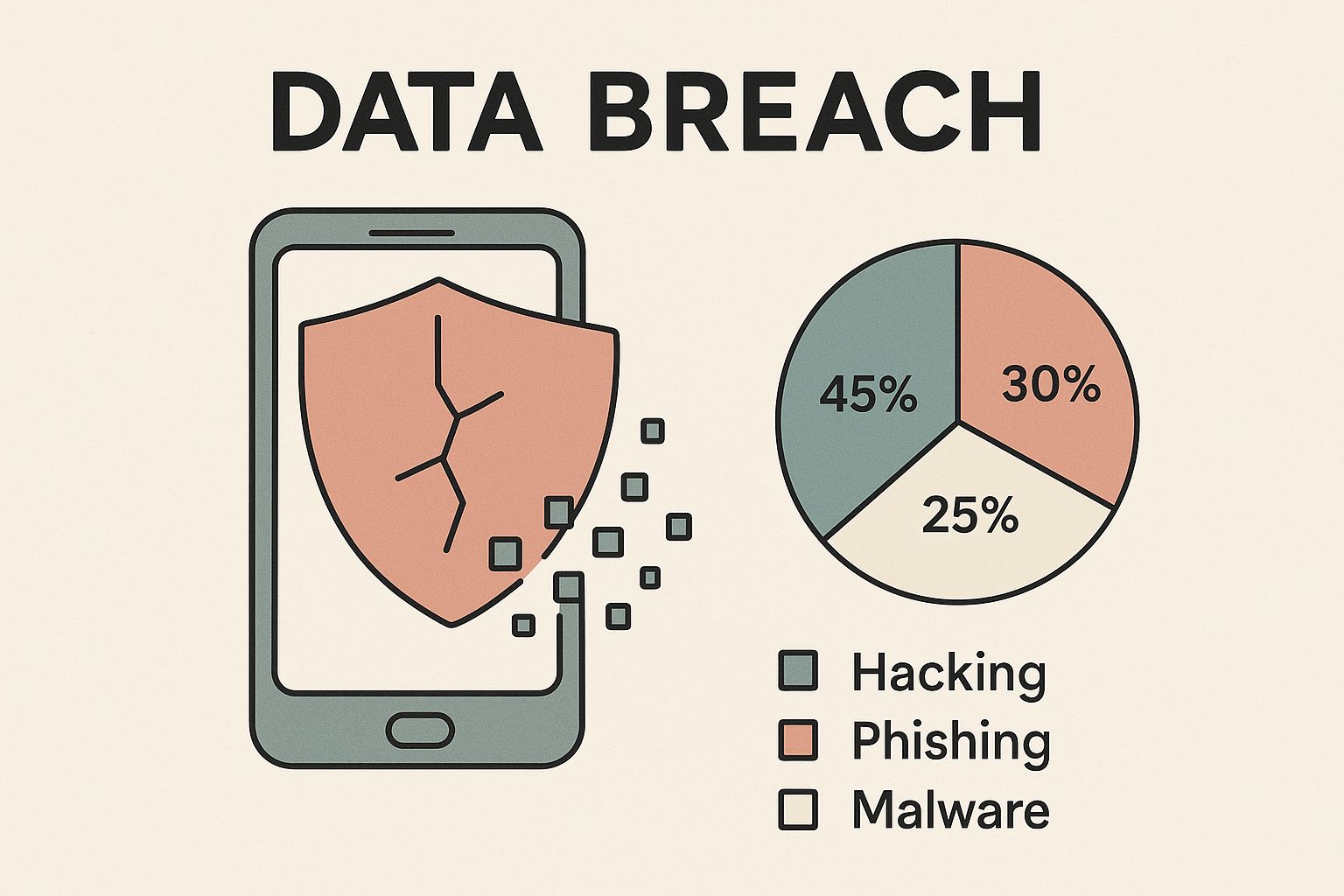
    Infographic about location data privacy

    This picture underscores a vital point: even with safeguards in place, staying alert is crucial. Understanding the laws that aim to strengthen these protections is essential for safeguarding your location data privacy.

    Knowing how your location data is gathered is just the beginning. The legal framework concerning location data privacy has also seen significant changes. These developments provide new ways for people to exercise real control over their personal details. This shift has been gradual, but the movement towards stronger privacy protections is clear.

    Globally, data privacy rules have grown substantially in recent years, influencing how location and other personal data are safeguarded. It was anticipated that by the close of 2024, privacy regulations would cover the personal data of 75% of the world’s population. By early 2025, over 160 privacy laws were active across more than 120 countries. Much of this worldwide regulatory activity was spurred by the European Union’s General Data Protection Regulation (GDPR), introduced in 2018, which encouraged many governments to adopt similar measures. You can explore more about the global impact of these regulations. This worldwide movement highlights an increasing acceptance of location data privacy as a basic right.

    Key Global Regulations Shaping Location Data Privacy

    A few key regulations are central to determining how companies must manage your location data. For instance, the General Data Protection Regulation (GDPR) in the European Union established a high standard. The GDPR takes a wide view of personal data, encompassing online identifiers and location details, and it requires explicit consent before processing this data, along with solid reasons for its use.

    In the United States, the California Consumer Privacy Act (CCPA), which was later updated by the California Privacy Rights Act (CPRA), has greatly shaped the national conversation on privacy. These California laws give residents rights concerning their personal information, which specifically includes geolocation data. Inspired by California, many other U.S. states are now introducing their own broad privacy laws. This has resulted in a varied landscape of state-level rules that increasingly emphasize consumer control over data, particularly sensitive location data.

    This changing legal picture means the apps and services you interact with regularly have new responsibilities. This table offers a comparison of key privacy regulations and their specific requirements for location data handling.

    Major Privacy Laws and Location Data Provisions

    RegulationJurisdictionLocation Data RequirementsPenalties
    GDPREuropean Union/EEAExplicit consent often required; data minimization; purpose limitation; right to access, rectification, and erasure.Up to €20 million or 4% of global annual turnover, whichever is higher.
    CCPA/CPRACalifornia (USA)Location data is personal information; rights to know, delete, opt-out of sale/sharing; clear privacy notices required.Up to $7,500 per intentional violation; $2,500 per unintentional violation.
    Emerging US State LawsVarious US States (e.g., VA, CO, UT)Similar rights to CCPA; often require opt-in for sensitive data (including precise geolocation); varying notice requirements.Vary by state, often up to $7,500 per violation.

    As the table shows, while specifics vary, the overall trend is towards greater transparency, user consent, and significant penalties for non-compliance concerning location data.

    What These Laws Mean for You and Businesses

    These privacy laws provide you with distinct rights and impose clear duties on businesses that manage your location data. This development compels companies to operate with greater openness and answerability.

    For you, as an individual, these laws generally offer several important rights:

    • The right to know: You can ask businesses to tell you what specific location data they have collected about you.
    • The right to access: You have the right to obtain a copy of your location data.
    • The right to delete: You can request companies to remove your location history, although some exceptions may apply.
    • The right to opt-out: Especially under laws like CCPA/CPRA, you can instruct businesses not to sell or share your location information.

    As a result, businesses need to make notable changes to their operations. They are frequently obligated to offer clear, easy-to-understand privacy notices that detail their location data collection and use. Securing genuine consent before tracking a user’s location is also becoming common practice, particularly for precise geolocation. Moreover, companies can face considerable penalties for non-compliance, which serves as a powerful motivator to uphold location data privacy principles and re-evaluate their service design. These legal requirements are not just abstract concepts; they are actively leading to modifications in app settings and data management across various sectors, ultimately giving you greater control over your digital presence.

    What’s Really Happening With Location Privacy Enforcement

    Knowing the specifics of privacy laws is important, but how these laws are actually enforced truly shows their impact. When it comes to location data privacy, we’re seeing a notable change. Authorities are now making it clear that these rules aren’t just suggestions; they come with real outcomes. It’s more than just written policies; it involves careful monitoring and ensuring companies are responsible for handling your sensitive geolocation information.

    Gavel and map pin symbolizing location privacy enforcement

    This heightened attention means that safeguarding your movements and private areas is gaining more serious consideration. Businesses that gather and track your location are facing increased scrutiny and must adhere to privacy requirements.

    Intensifying Scrutiny on Location Data Handling

    The way location data privacy rules are enforced is definitely changing. Regulatory groups and courts aren’t just giving out warnings anymore; they’re taking firm steps. This increased watchfulness isn’t just a concept; it’s happening now. For instance, 2025 has brought a noticeable increase in enforcement actions and lawsuits related to location data privacy.

    Some key examples include:

    • The first federal class action complaint filed under the Washington My Health My Data Act (MHMDA), focusing on location data.
    • A settlement between Honda and the California Privacy Protection Agency (CPPA) regarding location data privacy breaches.
    • A CPPA investigative sweep targeting the location data industry.

      You can explore the heightened focus on location data and online tracking further to understand more about these trends.

    These events show a strong dedication from officials to maintain location data privacy standards. It signifies that the assurances within privacy laws are becoming more concrete, affecting how companies handle the sensitive information they gather about your whereabouts.

    Landmark Cases and Their Ripple Effects

    Widely publicized cases and major settlements are very influential in how location data privacy laws are understood and applied. Every significant enforcement move clearly communicates to all industries which practices are not permissible. For example, common issues in these cases include:

    • Not obtaining clear, informed agreement before gathering exact geolocation information.
    • Employing location data for reasons users were not told about.
    • Poor security practices that result in compromised location histories.
    • Distributing or selling location data without the necessary permission.

    When a business is penalized for these kinds of breaches, the impact isn’t limited to just that one company. These results set examples for other organizations, showing them how to adjust their methods to meet legal standards and honor user privacy. This ongoing cycle of legal clarification and enforcement helps define what location data privacy truly entails.

    The Full Spectrum of Consequences for Violations

    The effects of not safeguarding location data privacy go well beyond just financial penalties, though those can be quite large. Businesses that break these rules often encounter a variety of severe outcomes. These may involve reputational damage, which can wear away customer confidence established over time, and mandated changes to business practices, requiring expensive revisions to how they manage data.

    Additionally, class action lawsuits are another important way companies are held accountable. If a privacy failure related to location data affects many people, these group lawsuits can put significant strain on businesses. This often leads to large payments and changes in how they operate, showing that groups of individuals can also push for enforcement.

    Proactive Measures: Regulatory Sweeps and Guidance

    Enforcement isn’t just about reacting to problems after they happen; regulatory bodies are now taking more initiative to make sure location data privacy rules are followed. Investigative sweeps, such as the CPPA’s review of the location data sector, mean officials are actively looking into company practices instead of just waiting for complaints. This forward-thinking approach helps find and fix possible problems before they affect many people.

    Regulators also often release regulatory guidance. This information gives businesses a better understanding of what the law requires and offers advice on the best ways to handle geolocation information. Keeping up with this guidance is key for companies that want to follow the rules and create services that truly honor user privacy. These proactive efforts show a dedication to creating a more secure setting for personal data and encourage the whole industry to adopt higher standards for location data privacy. Recognizing these enforcement patterns highlights why taking steps to protect your own location data is more crucial now than ever.

    Taking Control of Your Location Privacy Today

    Understanding the rules and trends around location data privacy is a great start, but the next step is to take charge of your own digital presence. By making some deliberate choices, you can cut down on unwanted tracking and feel more secure. We’ll look at how to tweak settings on your devices and inside your apps to keep your location information more private.

    Auditing App Permissions: Your First Line of Defense

    Many apps on your smartphone gather location data, but often, they don’t actually need this information to do their job. A key move to protect your location data privacy is to regularly perform an auditing app permissions check. This simply means looking at which apps can see your location and turning off that access for any app that doesn’t have a good reason for it.

    You’ll usually find these controls in the “Privacy” or “Location Services” section on both iOS and Android devices. It’s worth spending a few minutes reviewing this list – you might find it eye-opening to see how many apps have asked for, and been granted, location access, even when it’s not obvious why they’d need it.

    Fine-Tuning Location Services: Platform by Platform

    The two main mobile operating systems, iOS and Android, give you detailed ways to manage who sees your location. Knowing what these settings do helps you choose wisely how and when your location gets shared.

    For iOS users, navigating to “Settings,” then “Privacy & Security,” and finally “Location Services” reveals your main controls. For each app, you generally have these choices:

    • Never: The app is completely blocked from accessing your location.
    • Ask Next Time Or When I Share: The app must ask for permission each time.
    • While Using the App: Location access is granted only when the app is open and on your screen.
    • Always: This option allows tracking even when the app is in the background, so use it very carefully. iOS does often send reminders if an app is using this.

      Additionally, you can turn off Precise Location for an app. This means it only knows your general area, which is a good middle ground for many apps.

    Android phones offer similar strong controls, typically found under “Settings,” then “Location,” and “App location permissions.” The options for each app usually are:

    • Don’t allow: This cuts off all location access for the app.
    • Ask every time: The app will request permission every time it wants your location.
    • Allow only while using the app: Access is restricted to when you are actively using the app.
    • Allow all the time: Like with iOS, think hard before choosing this, as it allows continuous background access.

      Android also lets you control location accuracy (choosing between precise or approximate location) for individual apps, giving another layer to protect your location data privacy.

    Making these changes can really reduce how much of your location data is gathered. The table below gives a straightforward overview of where to find these settings and what they mean for your device’s functions.

    Device Settings for Location Privacy Protection

    Step-by-step privacy settings configuration for major platforms

    PlatformSetting Location (Typical Path)Privacy OptionImpact on Functionality
    iOSSettings > Privacy & Security > Location ServicesChoose per app: Never, Ask Next Time, While Using, Always. Toggle Precise Location.Restricting access may limit features like local recommendations or navigation accuracy. Disabling precise location is often a good balance.
    AndroidSettings > Location > App location permissionsChoose per app: Don’t allow, Ask every time, Allow only while using the app, Allow all the time. Control Use precise location.Similar to iOS; functionality like “find my device” or emergency services might rely on broader access.

    By using these platform-specific settings, you can greatly enhance your control. For those who use apps built with privacy at their core, like Acti – which handles location data on your device without saving it elsewhere or needing you to sign up – these system settings add an extra layer on top of the app’s own privacy design. This helps ensure your personal records, like travel logs, stay private.

    The Convenience vs. Privacy Trade-Off

    It’s true that there’s usually a balance to strike between complete location data privacy and the handiness of certain location-aware services. A weather app, for instance, might need to know roughly where you are for a local forecast, and a navigation app obviously needs exact location details to guide you.

    The crucial part is to make informed decisions. Always question whether an app truly needs your location for its main purpose, or if it’s gathering that data for something else, such as showing you targeted ads. Apps asking for “Always Allow” access should be looked at very closely; weigh whether the service they provide is really worth being tracked all the time.

    Taking the time to check these settings regularly is how you actively guard your personal information. This direct involvement lets you decide what level of location data privacy you’re comfortable with. You can still use helpful services that genuinely need your location, while cutting down on needless data sharing.

    Smart Business Practices for Location Data Protection

    While individuals certainly have a part to play in managing their own settings, the main responsibility for protecting location data privacy rests with the organizations that gather and use this personal information. For companies, putting strong protection measures in place isn’t just about following rules; it’s fundamental to building customer trust and staying viable as regulatory attention grows.

    Embracing Privacy-by-Design Principles

    At the heart of handling data responsibly is the idea of Privacy-by-Design (PbD). This approach means building data protection directly into services and products from the very start, not just adding it on later. This forward-thinking method is especially important for location data, because of its unique ability to show private details about people’s daily lives.

    To put PbD into action effectively, organizations should:

    • Carry out thorough Data Protection Impact Assessments (DPIAs) before launching any new feature or service that handles geolocation information. This helps spot and reduce privacy risks early on.
    • Make strong privacy protections the default setting for any service that uses location data. This ensures users are protected from the beginning, meeting the growing demand for more control over personal information.

    Following these principles helps businesses satisfy regulatory requirements and also promotes a culture that respects user privacy.

    Strengthening Consent Mechanisms for Location Data

    Generic, all-encompassing consent forms are not good enough anymore, especially for sensitive details like location. Users need, and are coming to expect, very clear and specific information about how their geolocation information will be used. Vague or bundled consents often don’t meet legal standards, like those set by the General Data Protection Regulation (GDPR), and can badly damage user trust.

    Good consent practices for location data privacy should include:

    • Giving information in clear, simple, and easy-to-understand language. This should explain exactly what location data is gathered, the precise reasons for its use, and if it’s shared with third parties.
    • Offering detailed control over location sharing. For instance, users should be able to choose between sharing exact or general location, or allowing access only when an app is open, instead of “all or nothing” choices.
    • Making sure users can easily take back their consent at any time, without facing problems or negative outcomes. This empowerment is a central part of modern privacy rules.

    Clear and detailed consent processes are vital for building a trustworthy relationship with your users.

    Implementing Robust Data Minimization and Retention Policies

    A key principle for location data privacy is data minimization—collecting only the location information that is absolutely needed for a clearly stated and valid reason. For example, an app that tells you about local events might only need city-level data, not constant, precise GPS tracking of where a user goes.

    Equally vital are strong data retention policies. Organizations need to clearly state how long location data will be kept and set up secure, automatic ways to delete it once it’s no longer needed for its original purpose. This not only respects user privacy but also greatly lowers the risk and potential damage if a data breach happens. Authorities worldwide are paying more attention to data deletion rights, making clear retention and deletion plans a critical business practice.

    Applying Technical Safeguards for Better Protection

    Beyond just policies and getting consent, strong technical safeguards are crucial for actively protecting location data from unauthorized access, misuse, or accidental sharing. These measures are a vital defense layer in any data protection plan.

    Important technical methods that businesses should think about include:

    • Anonymization and Pseudonymization: These methods involve processing location data to remove or hide elements that could directly identify someone. This allows for analyzing general trends (like popular routes or busy areas from aggregated data) without revealing individual user identities.
    • Encryption: All location data should be encrypted both when it’s being sent over networks (in transit) and when it’s stored on servers or devices (at rest). This helps stop unauthorized parties from reading the data even if they manage to access it.
    • Strict Access Controls: Using role-based access controls makes sure that only authorized staff with a genuine need can get to sensitive location data. It’s also a good idea to regularly review these access rights.

    Putting such technical safeguards in place shows a real commitment to keeping personal data’s ‘integrity and confidentiality,’ a core idea stressed by data protection rules around the world. This proactive approach helps protect users and also boosts the business’s reputation.

    What’s Next for Location Data Privacy

    The field of location data privacy is currently undergoing a significant transformation. This change is fueled by rapidly advancing technologies and evolving public attitudes towards how personal information should be handled. Grasping these developments is important for understanding the future of our digital trails and protecting sensitive geolocation information. How we protect our whereabouts will depend on our responses to new challenges and emerging possibilities.

    The Double-Edged Sword of New Technologies

    New technological developments are quickly changing how location data can be collected and understood. For example, Artificial Intelligence (AI) systems are capable of sifting through large volumes of movement data to find complex patterns. This could result in more detailed profiles of individuals, but AI also offers the potential for better data anonymization techniques, allowing for valuable analysis while protecting personal privacy.

    At the same time, technologies such as Augmented Reality (AR) are starting to merge digital information with our physical environment. Many AR applications need constant, exact location tracking to work, creating new ways for data to be collected. The expansion of Internet of Things (IoT) devices, from smartwatches to connected vehicles, also contributes to the growing pool of location data points, adding complexity to location data privacy considerations.

    Shifting Tides: Consumer Expectations and Regulatory Adaptation

    With increased public awareness, people are expecting more control over their personal data. There’s a growing demand for transparency and real choices about how location data is collected and applied. This shift in public opinion is a major driver for stronger privacy protections. A notable example is the German Coalition Agreement for 2025, which sets out a digital plan that seeks to balance digital progress with solid data protection principles.

    Around the world, regulatory authorities are adapting to these changing expectations and new technologies. We are seeing a distinct trend towards stricter regulations and more vigorous enforcement. This is evident in measures like Mexico’s new Federal Law on the Protection of Personal Data, which was published in March 2025. Additionally, there is an increased emphasis on particular rights, such as the right to have personal data erased, a focus highlighted by recent regulatory actions in Europe and certain areas of the U.S. To keep informed about changes in data protection, resources like Data Privacy Dish offer valuable updates.

    Proactive Approaches: Privacy-Enhancing Tools and Industry Collaboration

    Going forward, Privacy-Enhancing Technologies (PETs) are set to become very important. PETs are specific tools and methods created to reduce the amount of personal data involved in processes or to secure it more thoroughly. Some examples of these technologies include:

    • On-device processing: This approach keeps data, such as your location history, directly on your personal device (like your phone) instead of sending it to outside servers. This is a key feature for applications like Acti, which aims to keep your travel memories private.
    • Differential privacy: This technique introduces a controlled amount of statistical “noise” to datasets. The goal is to protect individual identities while still permitting useful analysis of the overall data.
    • Federated learning: This method allows AI models to learn from data spread across many devices or servers without the need to gather the raw data into one central place.

    In addition to these technological tools, industry self-regulation and cooperative projects are gaining prominence. Businesses are increasingly understanding that establishing consumer trust is essential, leading some to adopt measures that go beyond basic legal requirements. There are also new developments such as state regulators forming groups to exchange information and align their privacy enforcement activities.

    The path forward for location data privacy will be shaped by an ongoing interaction between technological advancements, user expectations, legal rules, and industry actions. For individuals wanting to safeguard their information and for organizations aiming to develop new ideas responsibly, staying knowledgeable and flexible will be key.

    Your Location Privacy Action Plan

    Turning your knowledge about location data privacy into practical action is the most important part of protecting yourself. This guide offers a straightforward plan, detailing how you can use key strategies to build strong safeguards for your personal information and, if applicable, your organization’s data. It’s all about making conscious, well-informed decisions to control who knows where you go.

    Recapping Key Privacy Concerns

    First, let’s quickly touch upon why protecting your geolocation information is so important. When your location is constantly tracked, it can be used to build very detailed profiles about you. This information might be used for targeted advertising you find intrusive, or worse, it could be misused if there’s a data breach. Because this data reveals so much about your daily routines, a proactive approach to location data privacy is essential.

    Core Protection Strategies

    A solid defense for your location data privacy is built on three main pillars: awareness of how your data is collected, active management of your device and app settings, and a clear understanding of your legal rights. The aim is to consciously reduce how much location data you share, while still being able to use helpful location-based services when you choose to.

    Your Personal Checklist for Stronger Location Privacy

    You can take direct control over your location data privacy by following these concrete steps:

    • Basic Steps for Everyone:

      • Regularly audit app permissions: Make it a habit to check which apps have permission to access your location. Considering that over 72% of iOS apps are known to track user data, this vigilance is crucial. If an app doesn’t need your location, revoke its access.
      • Default to “While Using the App”: For many apps, this setting is sufficient, as it limits location tracking to only when the app is actively open and in use.
      • Restrict precise location: Often, an approximate location is enough for an app to function. Turn off precise location tracking unless it’s absolutely necessary, like for a navigation app.
      • Question “Always Allow” permissions: Grant this level of access very selectively. Only give it to apps you truly trust and that provide a continuous, essential service requiring constant location access.
    • For the Privacy-Conscious User:

      • Use privacy-enhancing tools: Think about using privacy-focused web browsers or Virtual Private Networks (VPNs). These tools can help obscure some methods used to infer your location.
      • Disable location services globally when not needed: If you’re not actively using any services that depend on your location, turning off location services entirely on your device is a strong protective step.
      • Seek out on-device processing: Whenever possible, choose apps that process your data directly on your device rather than sending it to a server. This significantly improves your location data privacy.

    An Organizational Blueprint for Responsible Location Data Handling

    For businesses, respecting and protecting user location data privacy is fundamental for building trust and ensuring compliance with regulations.

    • Foundational Steps for All Businesses:

      • Integrate Privacy by Design: Make privacy a core component of your products and services from the very beginning of the development process.
      • Obtain clear, granular consent: Be transparent with users about how and why their location data is collected. Offer them specific choices, following global standards like the General Data Protection Regulation (GDPR).
      • Practice data minimization and set strict retention policies: Only collect the location data that is absolutely necessary (for example, city-level data might be enough instead of exact coordinates). Securely delete this data once it has served its purpose.
    • For Developers and Tech Companies:

      • Prioritize on-device data processing: If feasible, design your applications to process location data on the user’s device. This minimizes the risks associated with data transfer and storage.
      • Apply robust anonymization or pseudonymization: When location data is used for analysis, make sure it is properly de-identified to protect individual users.
      • Conduct regular security audits: Proactively test your systems that handle geolocation information to identify and fix any potential vulnerabilities.

    Maintaining Your Location Privacy Posture

    Safeguarding your location data privacy isn’t a one-time task; it requires ongoing attention. It’s important for both individuals and organizations to stay informed about new tracking methods, emerging technologies, and current best practices. Periodically review your settings and policies to ensure your protective measures are still effective against new challenges. This continued diligence will help you manage your digital footprint with confidence.

    Ready to take full control of your travel memories without compromising your location data privacy? Explore Acti, the iOS app that logs your adventures securely on your device. Capture life’s moments, your way.
  • Top Travel Journal App for Seamless Trip Memories

    Why You Need a Travel Journal App

    Stop losing precious travel memories. This list of the top eight travel journal apps for iOS helps you capture every adventure, big or small. We’ll cover key features of each travel journal app, so you can choose the perfect tool to seamlessly document your trips. These apps solve the hassle of traditional journaling by combining location tracking, photos, and notes in one place, making it easier than ever to preserve your experiences, whether for personal reflection or sharing with the world. Discover the best travel journal app for your needs below.

    1. Acti

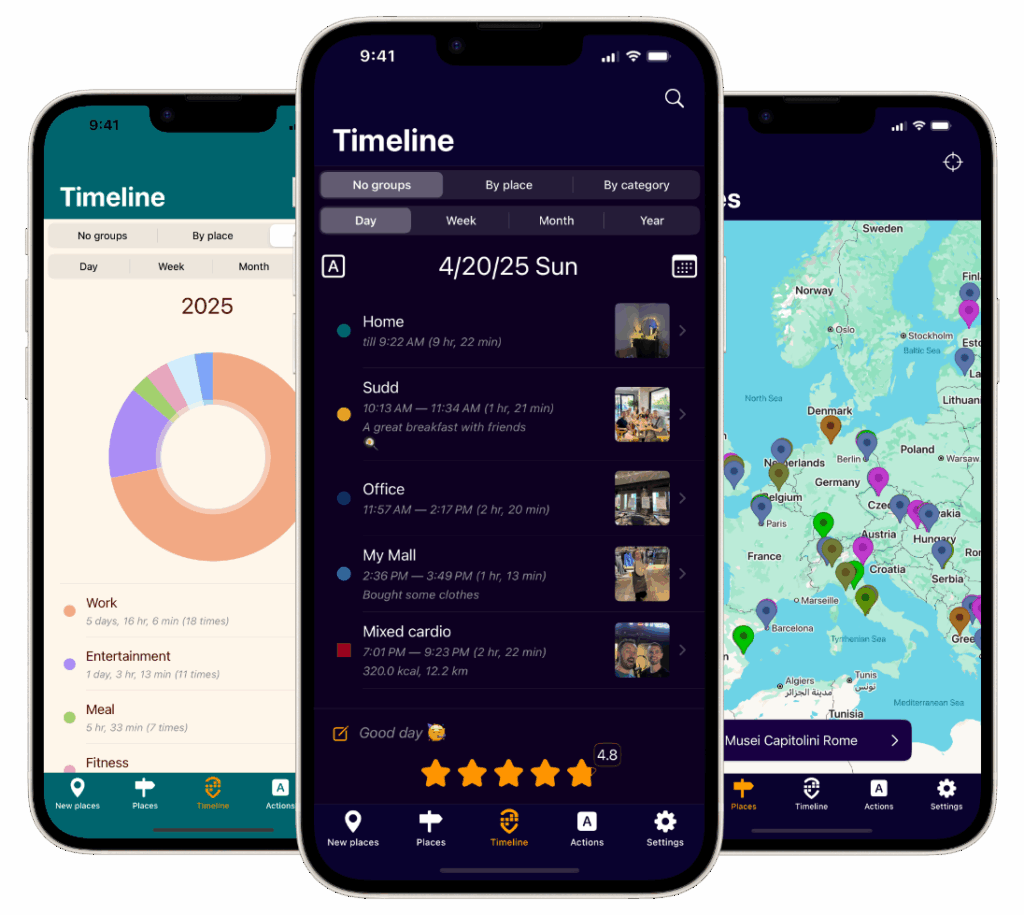
    Acti stands out as an intuitive and privacy-focused travel journal app designed specifically for iOS. For the privacy-conscious traveler, Acti offers a compelling advantage: it leverages on-device location tracking, eliminating the need for user registration or cloud storage. This means your detailed travel logs, complete with precise location data, remain exclusively on your device. Forget cumbersome manual check-ins; Acti automatically logs your visits to familiar places, freeing you to focus on experiencing the moment. Beyond simply logging locations, Acti allows you to enrich your travel journal entries with photos, comments, and even ratings for each visit, creating a vibrant tapestry of your adventures. Sharing your favorite destinations with friends and family is also seamless with integrated social media sharing options. Acti transforms scattered travel memories into meaningful insights with customizable timelines, offering daily to yearly views, and detailed summaries categorized by location and type of visit.

    This travel journal app also seamlessly integrates with the iOS Calendar and Health apps, including Apple Watch support. This integration provides a comprehensive overview of your daily activities, workouts, and overall wellness alongside your travel history, painting a holistic picture of your life’s journey. Imagine effortlessly tracking your steps taken while exploring a new city, all within the context of your travel journal. Learn more about Acti and its photo journaling features. Acti also caters to a global audience with its multilingual support, currently available in English, Russian, and Spanish, with German and French coming soon. This makes it an ideal travel companion for globetrotters and international adventurers.

    Pros:

    • Automatic and seamless tracking: Logs visits automatically without requiring user registration or cloud storage, ensuring top-notch privacy.
    • Rich journaling features: Allows for adding photos, comments, ratings, and easy social media sharing.
    • Flexible timeline views: Provides daily to yearly views and detailed summaries for insightful analysis of travel patterns.
    • iOS integration: Seamlessly connects with iOS Calendar and Health apps, including Apple Watch, for a unified view of activities and wellness.
    • Multilingual support: Available in multiple languages, catering to a global audience.

    Cons:

    • iOS exclusivity: Currently only available for iOS, limiting accessibility for Android users.
    • Developing language support: While multilingual, some languages like German and French are still under development.

    Website: https://getacti.app

    Acti earns its place on this list as a powerful yet user-friendly travel journal app, particularly for privacy-focused iOS users. Its automatic tracking, rich journaling features, and insightful summaries make it an excellent choice for anyone looking to document and reflect on their travel experiences without compromising their personal data. While the iOS exclusivity might be a drawback for some, its strengths in privacy, integration with the Apple ecosystem, and focus on user experience make it a compelling option for the target audience. For those seeking a simple yet comprehensive way to capture life’s adventures on their Apple devices, Acti offers a compelling solution.

    2. Polarsteps

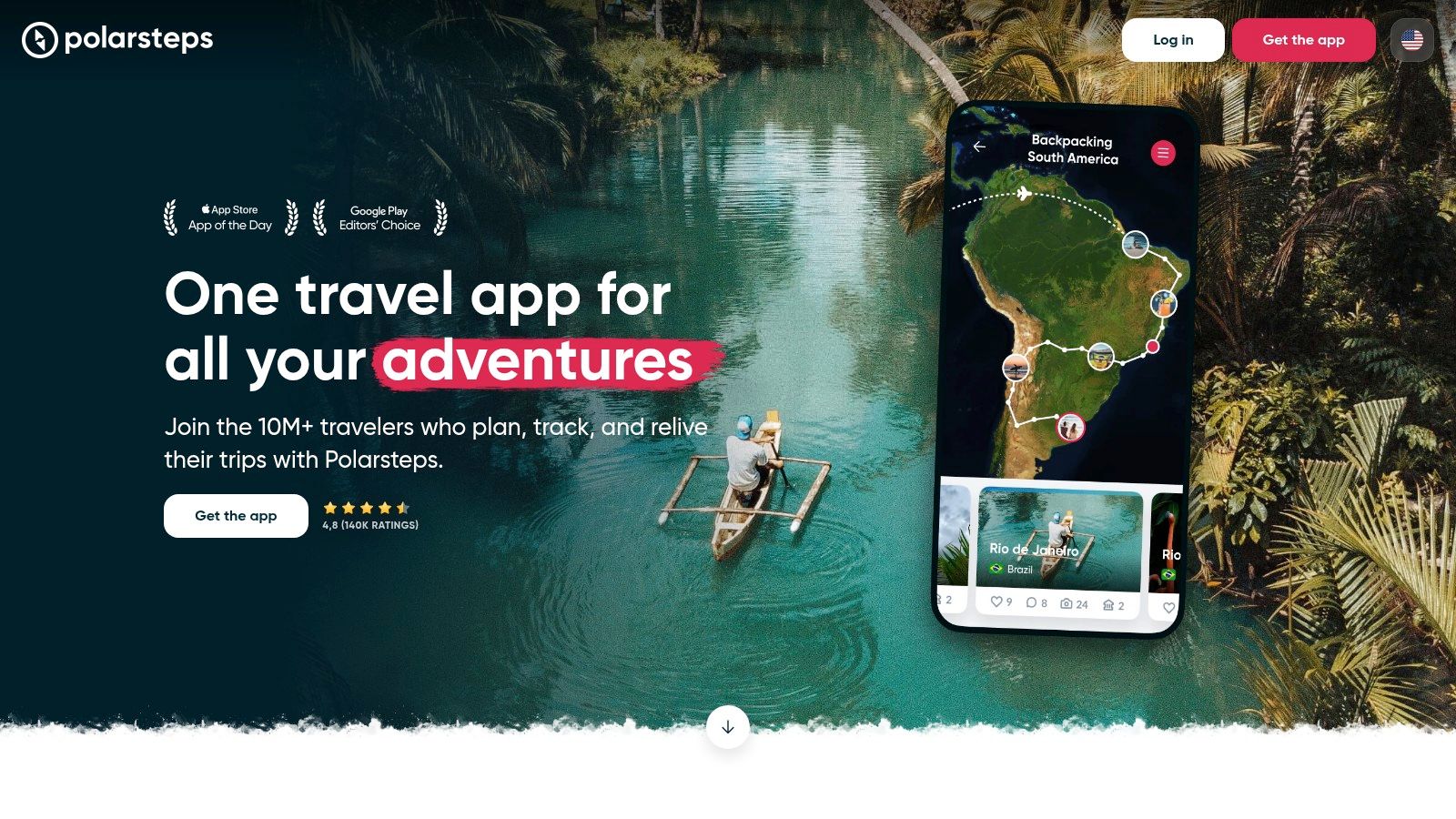
    Polarsteps is a popular travel journal app that automatically tracks your journeys and transforms your travel experiences into a visually appealing digital travel journal. This app distinguishes itself through its effortless automated tracking, allowing you to focus on enjoying your trip rather than meticulously logging every detail. It records your route and the places you visit, letting you add photos, videos, and short stories along the way. This creates an interactive travel timeline that you can either share with friends and family in real-time or keep entirely private. For those who appreciate a tangible keepsake, Polarsteps offers the unique ability to order a beautifully printed, personalized travel book after your trip, compiling all your adventures into a high-quality physical product. This makes it an excellent choice for those who enjoy sharing their travels or simply want a stylish way to preserve their memories.

    Polarsteps

    One of Polarsteps’ most compelling features is its automatic trip tracking via GPS. This background tracking is surprisingly battery-efficient, minimizing the drain on your phone’s battery life – a crucial consideration for travelers who rely on their devices for navigation and communication. The app works seamlessly offline, caching your data and syncing automatically when you reconnect to the internet. While basic usage is free, which includes the core tracking and journaling features, premium features like detailed statistics and offline maps are available via a subscription. The pricing for these premium features is quite reasonable, offering good value for frequent travelers. Learn more about Polarsteps and how it integrates with world map visualization.

    Compared to other travel journal apps, Polarsteps stands out with its intuitive and visually appealing interface, requiring minimal effort to document your trip. The ability to create custom travel books is another significant differentiator, offering a tangible product that many similar apps lack. While apps like Day One offer more robust text formatting for detailed journaling, Polarsteps prioritizes ease of use and visual storytelling.

    Implementation/Setup Tips:

    • Enable background location tracking: Ensure this is enabled in your phone’s settings for seamless automatic journey recording.
    • Customize privacy settings: Choose who can see your travels – share with everyone, just friends and family, or keep your journal completely private.
    • Add details regularly: Even short notes and photos add richness to your travel timeline, making it more enjoyable to revisit later.
    • Explore the premium features: If you find yourself using the app frequently, consider the premium subscription for enhanced functionality.

    Pros:

    • Intuitive, beautiful interface with minimal effort required.
    • Battery-efficient background tracking.
    • Free for basic usage with reasonable premium options.
    • High-quality printed photo books available.

    Cons:

    • Limited text formatting options for detailed journaling.
    • Some users report occasional GPS tracking inaccuracies.
    • Premium features require subscription.

    Website: https://www.polarsteps.com/

    Polarsteps deserves its place on this list because it provides a balanced approach to travel journaling, combining automated tracking with the flexibility to personalize your entries. It caters to both casual travelers who want an easy way to document their trips and those who desire a more visually engaging and shareable travelogue. The option to create a physical travel book is a compelling bonus that elevates it above many other travel journal apps.

    3. Journey

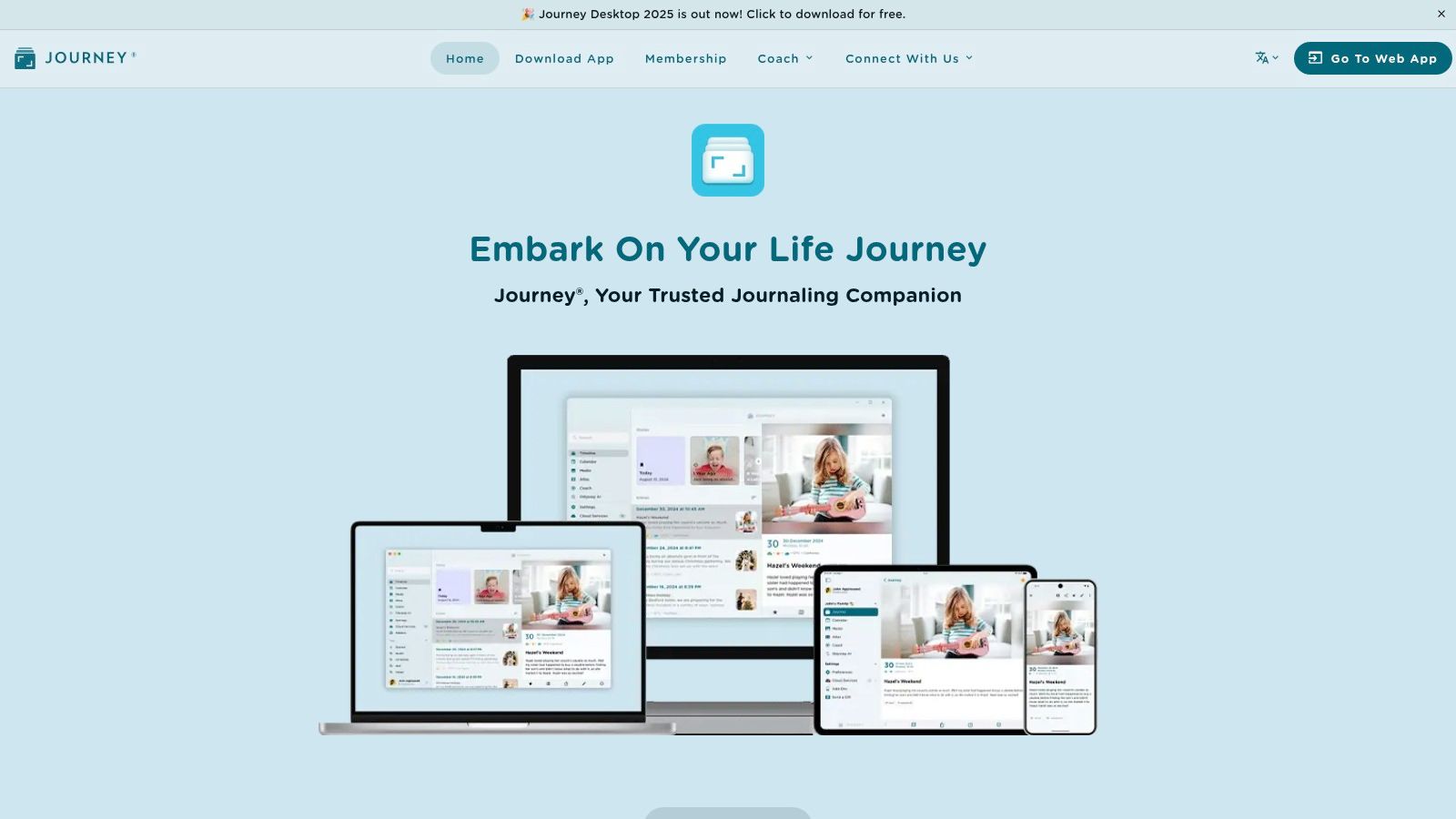
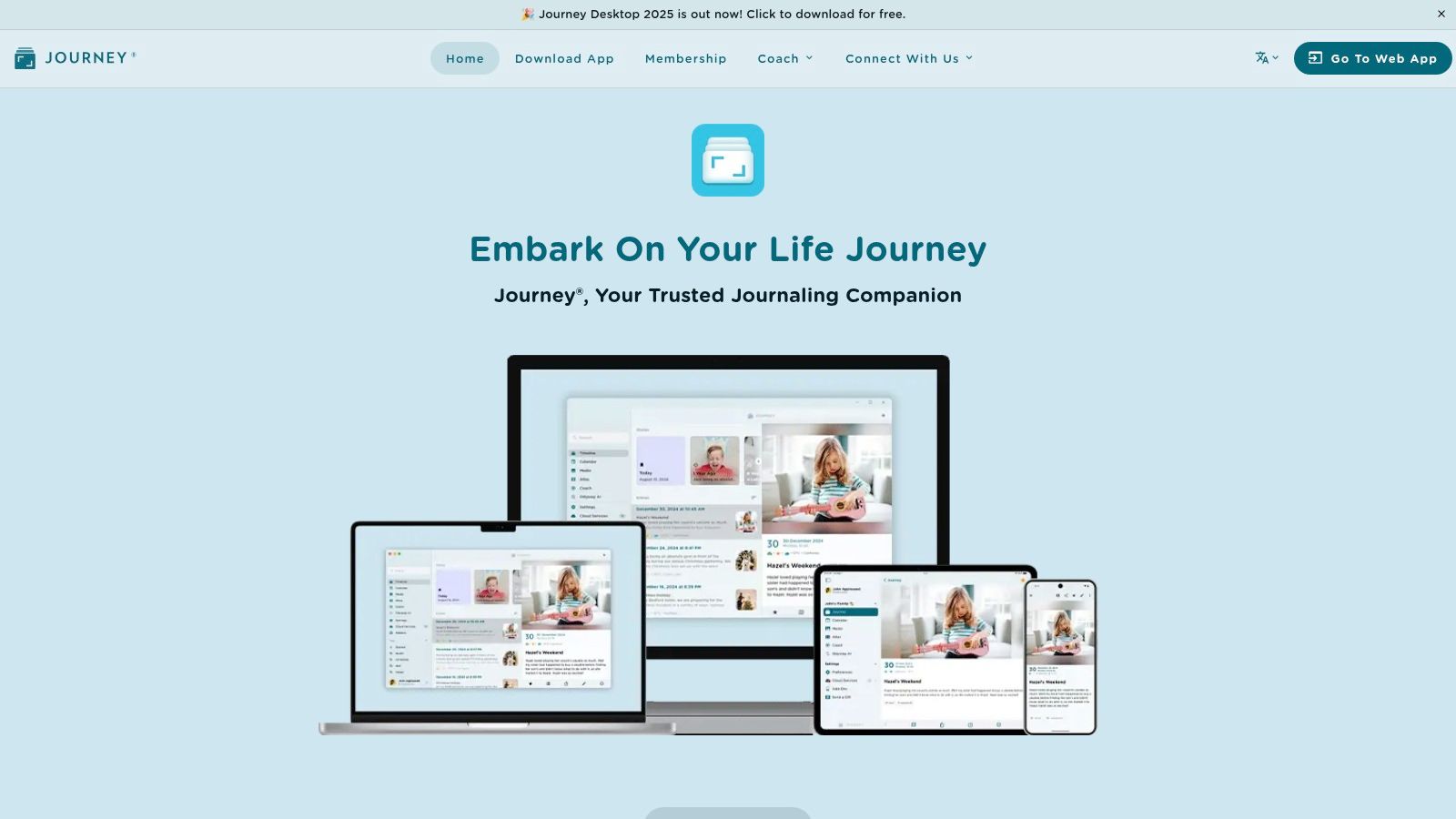
    Journey is a robust and versatile digital journal app suitable for various journaling needs, including travel. While not exclusively a travel journal app, its comprehensive features make it a strong contender for documenting your globetrotting adventures. Its clean and intuitive interface allows you to seamlessly record your travel experiences with text, photos, videos, audio recordings, and even location data, painting a rich picture of your journeys. The ability to sync across multiple devices and platforms (Android, iOS, web, Mac, Windows) ensures you can access your travel memories wherever you are. This makes Journey a compelling option for frequent travelers and globetrotters who value having their journals accessible on any device.

    Journey

    For the travel blogger or social media enthusiast, Journey’s rich text editor with multiple formatting options provides the flexibility to craft compelling narratives. You can easily embed photos and videos directly into your entries, creating visually engaging travelogues. The location tagging and weather information features automatically add context to your entries, letting you relive the atmosphere of each moment. Privacy-conscious users will appreciate Journey’s robust security features, including password protection and encrypted cloud backup. This ensures your personal travel memories remain secure and private.

    While Journey excels in its versatility, offering a wide range of features for both travel and personal journaling, this can also be a drawback. The sheer number of options can feel overwhelming for users specifically seeking a streamlined travel journaling experience. Some dedicated travel journal apps offer features like trip planning integration or expense tracking, which Journey lacks. Furthermore, while the basic version is free, accessing the full suite of features requires a premium subscription, priced at $3.99/month or $29.99/year.

    Key Features for Travelers:

    • Multimedia Integration: Combine text, photos, videos, and audio to create immersive travel logs.
    • Location Tagging & Weather: Automatically capture the location and weather conditions of your entries.
    • Cross-Platform Sync: Access your journal from any device, anywhere.
    • Offline Functionality: Continue journaling even without an internet connection.
    • Calendar and Atlas Views: Browse your entries visually through a calendar or on a map.

    Pros:

    • Versatile for both travel and personal journaling
    • Excellent privacy features with encryption
    • Beautiful interface for browsing entries
    • Offline functionality

    Cons:

    • Premium subscription required for full features
    • Lacks some travel-specific features
    • Can be overwhelming with too many options

    If you’re a memory journaling and life-logging enthusiast who also travels frequently, Journey offers a centralized platform to document all aspects of your life, including your trips. Its beautiful calendar and atlas views make revisiting past journeys a visually engaging experience. However, if you’re looking for a travel journal app with highly specialized features, you might want to explore other options. For those seeking a secure and feature-rich platform for both personal and travel journaling, Journey deserves serious consideration. Visit their website at https://www.journey.cloud/ to explore more.

    4. Bonjournal

    For travelers seeking a clean, minimalist digital space to chronicle their adventures, Bonjournal stands out as a refreshing option in the crowded field of travel journal apps. This free app prioritizes a distraction-free writing experience, allowing you to focus on capturing the essence of your journeys without being bogged down by complex features. Its streamlined design makes it incredibly easy to quickly jot down thoughts, impressions, and memories, whether you’re on a bumpy bus ride or relaxing on a tropical beach.

    Bonjournal

    Bonjournal’s core strength lies in its simplicity. The interface is uncluttered, putting the focus squarely on your writing. You can easily add photos to your entries, creating rich visual narratives of your travels. The location tagging feature, complete with map integration, adds another layer of context to your memories, allowing you to pinpoint exactly where each moment occurred. While it doesn’t offer automatic tracking like some premium travel journal apps, this manual approach gives you more control over the information you record.

    A key feature for those who love to share their travel stories is Bonjournal’s ability to create sharable web journal pages. This eliminates the need for recipients to have an account to read your entries, making it simple to connect with friends, family, or even a wider audience. This feature makes it a great option for aspiring travel bloggers or social media enthusiasts who want a quick and easy way to publish their travel updates. Furthermore, Bonjournal offers offline writing capability, ensuring you can continue journaling even without internet access – a crucial feature for remote adventures.

    Compared to feature-rich, subscription-based competitors, Bonjournal’s free offering provides a compelling entry point for users seeking a straightforward and elegant travel journaling experience. While it may lack advanced customization options or automatic tracking features, its clean design and easy sharing capabilities make it ideal for travelers who prioritize a streamlined and distraction-free writing experience.

    Pros:

    • No subscription required – completely free
    • Distraction-free writing experience
    • Simple but elegant design
    • Easy sharing without recipient accounts
    • Offline writing capability

    Cons:

    • Fewer features than premium competitors
    • Limited customization options
    • No automatic tracking features

    Website: https://www.bonjournal.com/

    Bonjournal earns its place on this list by providing a truly free and user-friendly platform for capturing travel memories. Its simplicity is its strength, making it an excellent choice for travelers who prioritize a clean, distraction-free writing environment and easy sharing options. If you’re looking for a no-frills, elegant travel journal app, Bonjournal is definitely worth exploring.

    5. Tripcast: The Social Travel Journal App

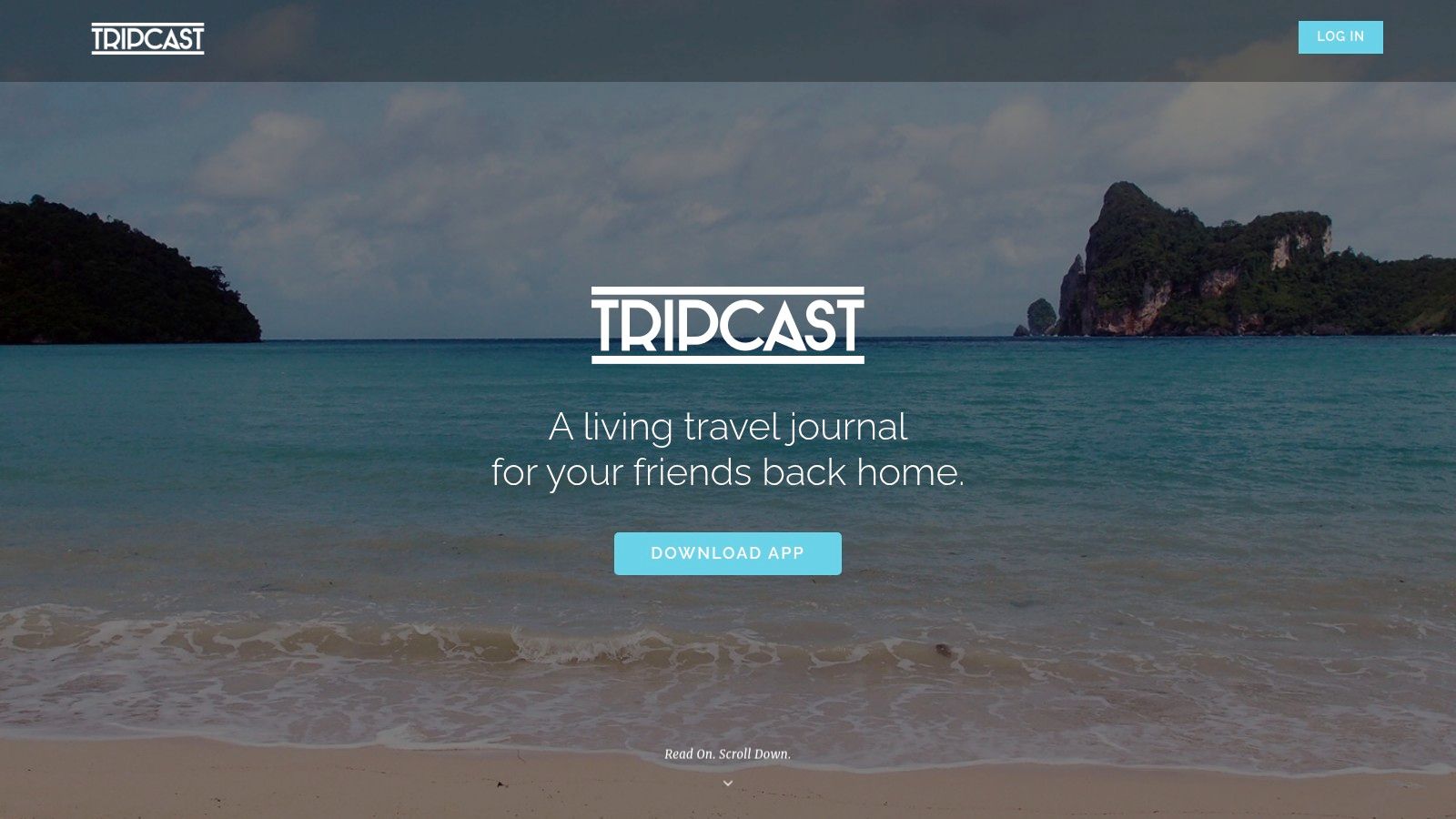
    Tripcast distinguishes itself from other travel journal apps by prioritizing the social aspect of travel. Imagine effortlessly sharing your travel adventures with loved ones in real-time, without the need for constant texting or individual photo uploads. Tripcast allows you to create private trips and invite selected friends and family to participate. Everyone in the group can contribute photos, videos, and comments, creating a collaborative and dynamic travelogue of your shared experiences. This makes Tripcast the perfect travel journal app for family vacations, group tours, or even couples’ getaways. The app automatically organizes your contributions into a chronological feed, complete with location tagging and interactive maps, so you can easily retrace your steps and relive every moment.

    Tripcast

    For frequent travelers seeking a seamless way to share their journeys, Tripcast offers a compelling solution. Its intuitive interface, reminiscent of popular social media platforms, makes it incredibly easy to use. Picture this: you’re exploring a bustling market in Marrakech, and you snap a photo of a vibrant spice stall. With Tripcast, you can instantly share this image with your family back home, along with a quick comment about the intoxicating aromas. They can then react to your post, ask questions, and share in the excitement of your adventure, all in real-time. This real-time interaction fosters a sense of connection and shared experience that sets Tripcast apart.

    While Tripcast shines in its social features and collaborative journaling capabilities, it’s important to be aware of its limitations. The app is more focused on photo and video sharing than detailed written journaling. If you’re a writer who prefers to capture your thoughts and reflections in prose, you might find the text-based journaling features somewhat limited. Additionally, Tripcast’s offline functionality is restricted, which can be a drawback in areas with limited internet access. Some users have also reported occasional syncing issues, so it’s crucial to ensure your contributions are backed up.

    Tripcast offers a free basic version, allowing you to experience its core features before deciding on a subscription. Pricing details for premium features, which may offer expanded storage or additional functionalities, can be found on their website. The app is currently available for iOS devices.

    If you’re planning a group trip and are looking for a travel journal app to document your shared adventure, Tripcast is definitely worth considering. Its collaborative approach, real-time sharing features, and intuitive interface make it a strong contender in the realm of travel journaling apps. For those prioritizing detailed written entries, however, exploring other apps with more robust text-based features may be beneficial. You can find more information and download the app at https://www.tripcast.co/.

    6. Day One

    Day One is a premium travel journal app known for its elegant design and robust features. While not exclusively a travel journal app, its versatility allows you to meticulously document your adventures with text, photos, audio recordings, and precise location data. This app automatically enriches your travel memories by adding metadata such as weather conditions, step count, and place information, creating a comprehensive and immersive record of your journeys. This makes it an excellent option for travelers who appreciate detailed and well-organized journaling.

    Day One

    Imagine effortlessly capturing the vibrant sunset over the Tuscan countryside, complete with the exact GPS coordinates, the day’s temperature, and your personal reflections on the experience. Day One makes this kind of in-depth journaling seamless. For frequent travelers and globetrotters, the ability to create separate journals for different trips keeps everything organized and easily accessible. Travel bloggers and social media enthusiasts will appreciate the rich text formatting, photo integration (up to 30 images per entry!), and the ability to seamlessly share entries. Furthermore, the end-to-end encryption ensures privacy for those who value secure data storage.

    Day One’s features extend beyond basic journaling. Its powerful search and filtering capabilities allow you to easily find specific entries based on keywords, locations, or dates. The option to create printed books from your journals offers a tangible way to preserve and share your travel stories. While it integrates with Apple Watch and Health app data for a more holistic view of your journey, this focus on Apple integration might limit its appeal to Android users.

    While Day One excels in its polished interface and rich feature set, it’s important to note that full functionality requires a subscription ($2.92-$4.99/month). Compared to dedicated travel journal apps, Day One might lack specific travel-related features like itinerary planning or expense tracking. Its comprehensive features might also be overkill for casual journalers who prefer a simpler approach. However, for users who appreciate attention to detail and a visually appealing journaling experience, and are willing to invest in a subscription, Day One provides a powerful and flexible platform to chronicle their travels. You can download the app and explore its features on their website: https://dayoneapp.com/.

    7. Trabee Pocket

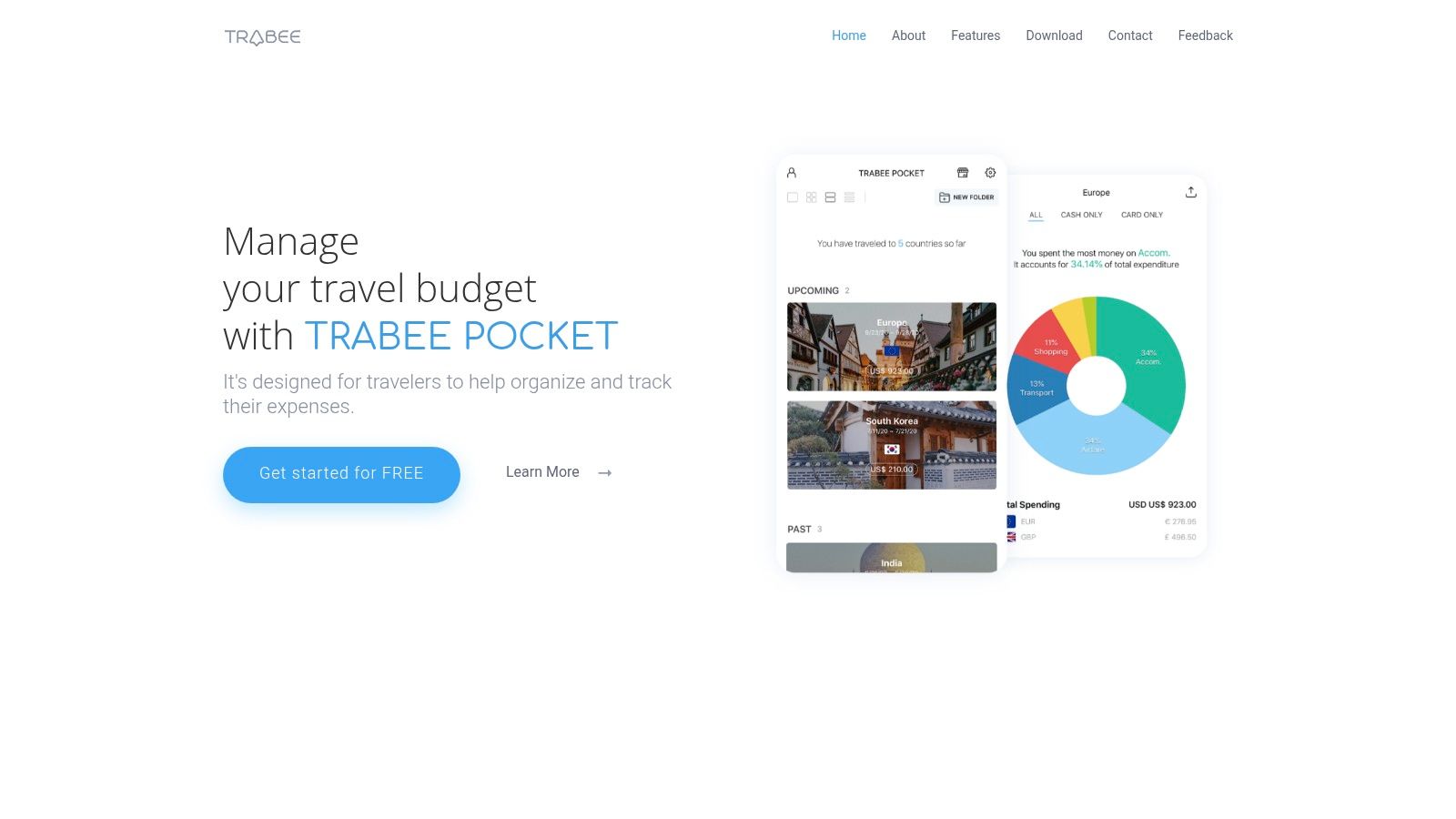
    For the budget-minded traveler who also loves to document their adventures, Trabee Pocket offers a compelling solution. This travel journal app cleverly combines expense tracking with traditional journaling features, making it a practical choice for those wanting to keep a close eye on their spending while preserving their travel memories. Imagine effortlessly logging your street food purchases in Bangkok while simultaneously jotting down your impressions of the bustling market – Trabee Pocket makes this a seamless experience.

    Trabee Pocket

    Trabee Pocket earns its spot on this list by addressing a specific need: combining financial awareness with the joy of travel journaling. Instead of using separate apps for budgeting and journaling, Trabee Pocket streamlines the process. You can record expenses in multiple currencies with automatic conversion, a lifesaver for international travel. Each expense entry can be supplemented with photos and notes, effectively building a multimedia travel diary alongside your financial records. The app goes further by providing insightful spending analytics and budget management tools, empowering you to stay on top of your finances throughout your trip. Features like the trip timeline with location tagging add another layer of organization to your travel memories.

    One of the key advantages of Trabee Pocket is its offline functionality. You can continue to log expenses and jot down notes even without internet access, and the automatic currency conversion will still function correctly once you reconnect. While the free version offers a robust set of features, the Pro version, available as a one-time purchase of $4.99, unlocks advanced features like exporting your expenses in PDF or Excel format. This is invaluable for meticulous travelers who need organized financial records for reimbursement or personal accounting.

    While Trabee Pocket excels in blending financial tracking and journaling, it’s worth noting that the interface prioritizes the former. Those looking for extensive rich text formatting options for their journal entries might find the app somewhat limiting. However, the detailed expense categorization and robust budget management tools are a major plus for budget-conscious travelers.

    If you’re looking for a travel journal app that seamlessly integrates financial tracking, Trabee Pocket is a solid choice. Its offline capabilities, automatic currency conversion, and detailed expense management features make it particularly appealing for international travelers. Visit their website at https://www.trabeepocket.com/ to learn more.

    8. Journi

    Journi is a user-friendly travel journal app designed to streamline the process of documenting your adventures, making it both effortless and enjoyable. It stands out among other travel journal apps thanks to its seamless integration of photos, collaborative features, and the option to create beautiful printed photo books. This makes it a fantastic choice for solo travelers, families, or groups of friends who want to preserve their memories in a visually appealing and easily shareable format.

    Journi

    One of Journi’s key strengths lies in its automatic photo organization. The app intelligently sorts your photos by date and location, effectively building a visual travel diary with minimal input required from you. This is a huge time-saver, especially after a long day of exploring. Imagine returning to your accommodation after a packed itinerary, and instead of manually sorting through hundreds of photos, Journi has already arranged them chronologically and geographically.

    For group trips, Journi’s collaborative journaling feature shines. Friends and family can contribute to a shared travel log, adding their own photos, captions, and anecdotes. This creates a richer, more multifaceted record of the journey, capturing everyone’s perspectives. This collaborative approach is ideal for families, friend groups, or even couples who want to build a shared memory of their travels. Furthermore, you can share your travelogue with friends and family back home through private sharing links, keeping them in the loop without oversharing on social media.

    While the basic version of Journi is free, offering a great entry point to experience the app, the premium features require a subscription (€2.99/month or €24.99/year). The premium subscription unlocks benefits like offline functionality with automatic syncing when you’re back online, and the ability to create those high-quality printed photo books directly from the app. While the limited text formatting options might be a drawback for some users, the simplicity of the interface and the excellent photo management capabilities make it an attractive option for those who prioritize visual storytelling. Occasional photo upload speed issues have been reported, but overall, Journi offers a good balance of simplicity and functionality. Compared to similar travel journal apps like Polarsteps or Travel Diaries, Journi emphasizes the visual aspect of journaling and collaborative storytelling, making it ideal for those who want a beautiful and easily shareable record of their travels.

    Setting up Journi is straightforward: download the app from the app store, create an account, and you’re ready to start documenting your journey. As you travel, simply snap photos as usual. Journi will work in the background, organizing your photos and creating your travel diary. You can then add captions, notes, and even collaborate with others. For creating a photo book, the in-app process guides you through selecting photos, customizing the layout, and placing your order. Overall, Journi earns its place on this list as a visually appealing and highly user-friendly travel journal app perfect for capturing and sharing your travel memories, making it an excellent choice for both casual travelers and avid globetrotters. You can explore more at https://www.journiapp.com/.

    Choosing the Right Travel Journal App

    From minimalist interfaces to feature-rich platforms, the array of travel journal apps available can be overwhelming. We’ve explored eight leading options—Acti, Polarsteps, Journey, Bonjournal, Tripcast, Day One, Trabee Pocket, and Journi—each catering to different travel styles and preferences. The most important takeaway is that the “best” travel journal app is subjective. Whether you prioritize privacy, automatic trip tracking, expense logging, or seamless social sharing, there’s a perfect fit waiting to be discovered. Key factors to consider include the level of automation you desire, the importance of offline access, and how much you value integrating with other apps like your Apple Watch or Health app. Privacy-conscious iOS users might lean towards simpler options, while travel bloggers and social media enthusiasts will gravitate towards apps with robust sharing capabilities.

    If you’re planning on sharing your adventures on social media, particularly the up-and-coming Threads platform, you might want to check out this helpful resource: Looking to grow your presence on Threads? This comprehensive guide offers proven strategies to gain followers and increase engagement: How to Grow on Threads: From Zero to 10K Followers (2024 Strategy Guide) from Schedul.

    Ultimately, the right travel journal app will empower you to effortlessly capture and cherish your travel memories. Transform your fleeting experiences into lasting stories, ready to be relived and shared for years to come. Ready to embrace a simple, privacy-focused approach to travel journaling? Discover Acti, a minimalist travel journal app designed to help you document your adventures without sacrificing your privacy.

  • Top Photo Journal App of 2025 – Capture Your Moments Easily

    Top Photo Journal App of 2025 – Capture Your Moments Easily

    Embark on a Journey of Memories with These Photo Journal Apps

    Want to effortlessly preserve your travel adventures and daily moments? This list showcases eight excellent photo journal apps, perfect for capturing life’s experiences with photos and personal reflections. Discover the best photo journal app for your needs, whether you’re a globetrotter, life-logger, or simply want to document your days. These tools solve the problem of scattered memories by providing a centralized, organized hub for your photos and thoughts. We’ll cover Acti, Day One, Journey, Momento, Daylio, Diaro, 1 Second Everyday, and Grid Diary.

    1. Acti

    Acti stands out as a smart and intuitive photo journal app specifically designed for iOS, transforming the way you document and relive life’s adventures. Unlike other apps that require registration and cloud storage, Acti prioritizes your privacy by leveraging on-device location tracking to automatically log visits to familiar places. This automatic logging feature makes it a powerful tool for frequent travelers and globetrotters who want effortless tracking of their journeys. Whether you’re exploring a new city or revisiting a favorite cafe, Acti captures your experiences without compromising your data security. Beyond just location tracking, it empowers you to enrich each journal entry with photos, comments, and ratings, allowing for a deeply personalized record of your experiences. Sharing your favorite discoveries on social media is also seamless, making it ideal for travel bloggers and social media enthusiasts.

    Acti’s customizable timelines offer a unique way to visualize your travel history, allowing you to browse your adventures by day, week, month, or even year. Detailed summaries provide insightful analytics, sorting your visits by location or category to uncover patterns in your travels. For the privacy-conscious iOS user, this offers a comprehensive overview of your activities without sharing data with external servers. The integration with iOS Calendar and the Health app, including Apple Watch compatibility, further enhances its functionality, consolidating your activities in a single, accessible hub. This makes it a valuable tool for memory journaling and life-logging enthusiasts, and those invested in tracking their movements and activities via Apple’s ecosystem. Learn more about Acti and its features, especially its integrated world map for visualizing your travels.

    Pros:

    • Automatic and privacy-focused tracking without registration or external storage.
    • Rich journaling features, including photos, comments, ratings, and social sharing.
    • Customizable timelines and detailed analytics for visits by date, place, and category.
    • Seamless integration with iOS Calendar and Health apps (including Apple Watch) for a holistic activity overview.
    • Multilingual support, including English, Spanish, and Russian, with German and French in development.

    Cons:

    • Currently available only on iOS devices; no Android version yet.
    • Some languages, like German and French, are still in development, limiting full accessibility for non-English/Spanish/Russian users.

    While pricing information isn’t readily available, Acti’s focus on privacy and rich feature set makes it a compelling photo journal app for iOS users. If you’re seeking a secure and sophisticated way to document your life’s meaningful moments, Acti is certainly worth exploring. You can download it from the Acti website.

    2. Day One

    Day One is frequently cited as the leading photo journal app, and for good reason. It sets the standard for digital journaling and photo documentation with its elegant interface and robust feature set. Whether you’re a frequent traveler meticulously documenting your globetrotting adventures, a privacy-conscious iOS user prioritizing secure data storage, or simply a memory journaling enthusiast, Day One offers a compelling platform to chronicle your life. Its ability to create multiple journals with customizable templates allows you to organize different aspects of your life – from travel itineraries and daily reflections to project notes and gratitude logs – all within a single, streamlined app. This makes it a superior choice compared to basic note-taking apps or simpler photo album applications that lack the depth and organizational features of a dedicated photo journal.

    Day One

    For the travel blogger or social media enthusiast, Day One’s excellent photo management capabilities, coupled with location tagging and automatic weather data, allow for richly detailed entries. Imagine effortlessly creating a captivating travel blog post, complete with stunning photos, precise location information, and even a record of the weather conditions on the day. Privacy-conscious users will appreciate the end-to-end encryption and biometric authentication, ensuring your personal reflections remain private and secure. Even Apple Watch and Health app users can benefit from Day One’s integration, allowing for seamless logging of activity and health data within their journal entries.

    Day One offers features such as audio recording, allowing you to capture the soundscape of your experiences, and Markdown text formatting support for adding rich text and styling to your entries. Its robust search functionality makes it easy to retrieve past entries based on keywords, dates, or locations. The app also benefits from regular updates and improvements, demonstrating the developers’ ongoing commitment to refining the user experience.

    While the free version is limited, the premium subscription ($34.99/year) unlocks the full power of Day One, including unlimited photos and videos, multiple journals, and advanced features. It’s worth noting that some advanced features are currently iOS exclusive. This premium model, while potentially a drawback for some, allows Day One to maintain its high-quality features and ongoing development.

    Pros:

    • Beautiful, intuitive interface
    • Excellent photo management capabilities
    • Robust search functionality
    • Regular updates and improvements
    • End-to-end encryption
    • Multiple journals with customizable templates

    Cons:

    • Premium subscription required for most features ($34.99/year)
    • Limited free version
    • Some advanced features only available on iOS

    Website: https://dayoneapp.com/

    Implementing Day One into your routine is straightforward. Simply download the app, create an account, and start journaling. Consider setting up daily reminders to cultivate a consistent journaling habit. Experiment with different journals and templates to find what works best for your needs, whether it’s a dedicated travel journal, a daily gratitude log, or a project notebook.

    3. Journey

    If you’re looking for a seamless photo journal app experience across all your devices, Journey is a strong contender. This cross-platform gem works on iOS, Android, Windows, Mac, and even has a web version, making it incredibly accessible no matter your tech ecosystem. Its clean, minimalist design keeps the focus on your content, allowing your photos, videos, and written reflections to shine. Whether you’re a frequent traveler documenting your adventures, a privacy-conscious user seeking control over your data, or simply someone who values a streamlined journaling experience, Journey has something to offer. Its powerful features allow you to craft rich, multimedia entries complete with multiple photos, videos, audio recordings, and extensively formatted text. Journey goes beyond basic journaling by automatically capturing location data, weather information, and even allows you to track your mood and activities, adding valuable context to your memories.

    Journey

    For the globetrotter, the Atlas view is a game-changer, allowing you to explore your entries by location, visually mapping your adventures across the globe. Travel bloggers and social media enthusiasts will appreciate the ease of creating visually compelling posts, while memory journaling and life-logging enthusiasts will find the comprehensive tracking features invaluable for preserving precious moments. The Calendar and timeline views provide alternative ways to navigate your entries, offering different perspectives on your journey through time. For Apple users, Journey integrates with Apple Watch and Health app, further enhancing its tracking capabilities.

    Journey offers a good free tier with basic functionality, allowing you to experience the app before committing to a subscription. Unlocking premium features, such as cloud sync and unlimited photo uploads, requires a subscription priced at $3.99/month or $29.99/year. A one-time purchase option is available for the desktop version, providing a cost-effective alternative for users primarily focused on desktop journaling.

    While Journey’s cross-platform availability is a significant strength, it’s worth noting that occasional sync issues between platforms have been reported. Furthermore, some users find the interface slightly less intuitive compared to some competitors. However, its beautiful design with dark mode support, combined with its robust feature set and flexible pricing options, makes Journey a compelling choice for anyone seeking a versatile and powerful photo journal app. You can explore Journey and download it for your preferred platform at https://www.journey.cloud/.

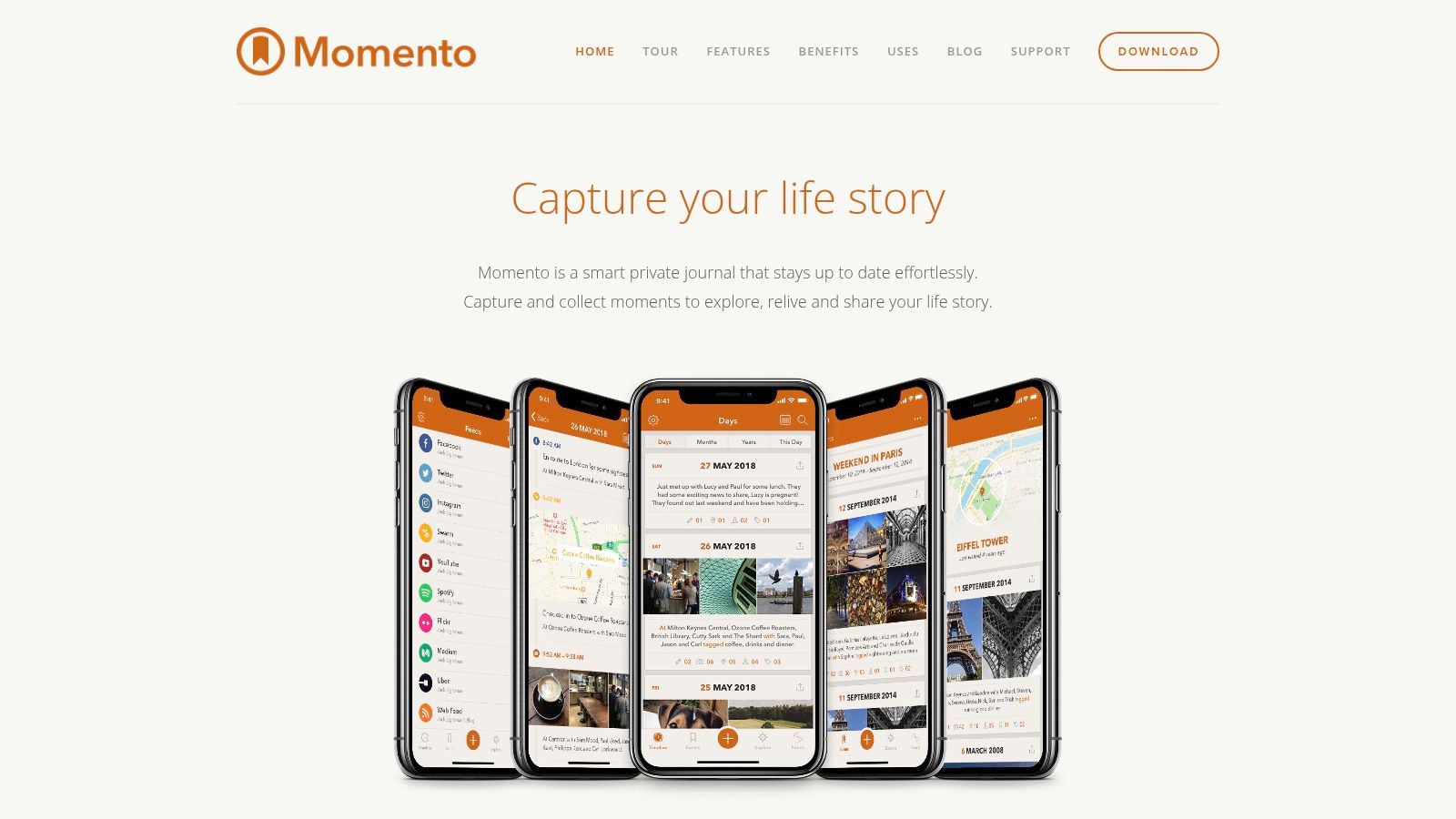
    4. Momento: Your Social Media Life, Chronologically Organized

    Momento is a photo journal app designed for seamless integration with your social media presence. If you’re a frequent social media user looking for an effortless way to chronicle your online life, Momento is a strong contender among photo journal apps. It automatically imports posts and photos from platforms like Instagram, Facebook, and Twitter, transforming your social media activity into journal entries without the manual effort. This makes it incredibly easy to build a rich and detailed record of your daily life, online and off. Momento shines in its simplicity and ability to effortlessly handle multiple photos within a single entry. Its clean, calendar-based interface makes browsing past memories and moments a breeze.

    Momento

    For the globetrotter constantly updating their Instagram with travel photos, or the blogger sharing snippets of their day on Twitter, Momento offers an easy way to consolidate these scattered digital breadcrumbs into a cohesive personal narrative. Imagine effortlessly compiling a month’s worth of travel photos from Instagram, complete with captions and locations, ready to be revisited and reminisced over. Beyond social media integration, you can also manually add journal entries, enriching your digital diary with personal reflections, thoughts, and experiences that might not make it to your public feeds.

    Momento provides customizable reminders to encourage consistent journaling. This is especially useful for those who appreciate the idea of regular journaling but struggle with maintaining the habit. Privacy-conscious users will appreciate the robust security features, including passcode and Touch ID/Face ID protection, ensuring your personal reflections remain private. The app also offers basic photo editing tools and filters, allowing you to enhance your photos before adding them to your journal. You can easily share journal entries via text or email, making it simple to share highlights with friends and family.

    Key Features: Social media integration and import (Instagram, Facebook, Twitter), Customizable reminders, Passcode and Touch ID/Face ID protection, Photo filters and editing tools, Share entries via text or email.

    Pros: Excellent social media integration, User-friendly and intuitive interface, Good free version with core features, Strong privacy controls.

    Cons: Premium features (like iCloud sync and feed filtering) require a subscription ($2.49/month or $14.99/year), iOS only (not available for Android), Limited text formatting options compared to some competitors.

    Pricing and Technical Requirements: Momento offers a free version with core functionality. A premium subscription unlocks additional features. The app is exclusively available for iOS devices, including iPhones and iPads. Apple Watch and Health app integration is also available, providing further avenues for automated data import.

    Setup Tips: Upon installation, connect your desired social media accounts to enable automatic importing. Set up personalized reminders to establish a consistent journaling routine. Explore the settings to customize your experience and discover the full range of features available.

    Momento earns its place on this list by offering a unique blend of simplicity and powerful social media integration. While the premium features come at a cost and the app is limited to the iOS ecosystem, its user-friendly interface and effortless archiving capabilities make it a compelling choice for anyone looking to build a comprehensive and easily accessible digital journal. Check out Momento on their website: https://momentoapp.com/

    5. Daylio

    Daylio stands out as a unique photo journal app because it blends mood tracking with visual journaling. Its core strength lies in its simplicity: you can create quick, bite-sized entries in seconds using an intuitive interface of moods and activities. While not strictly a dedicated photo journal app, Daylio’s ability to link photos to daily mood entries makes it a powerful tool for anyone wanting to document their emotional journey alongside visual memories. This makes it particularly useful for understanding how your environment and activities influence your emotional state. Imagine being able to visually track your mood throughout a trip, connecting specific photos to your feelings at different locations or during different experiences. This functionality makes Daylio an invaluable photo journal app for reflecting on past experiences and identifying patterns in your emotional wellbeing.

    Daylio

    For frequent travelers and globetrotters, Daylio provides a quick and easy way to document daily experiences and emotional responses to new places. Privacy-conscious users will appreciate the PIN protection feature, ensuring the security of their personal reflections and photos. Travel bloggers and social media enthusiasts can use Daylio to gather content for their platforms, visually showcasing their journeys and emotional experiences. Memory journaling and life-logging enthusiasts will find its mood tracking and photo association features invaluable for self-reflection and personal growth.

    Daylio shines in its ease of use. Its icon-based entry system eliminates the pressure of extensive writing, making it perfect for those who find traditional journaling daunting. The app also generates insightful statistics and patterns from your entries, offering a clear visual representation of your mood trends over time. These statistics can be incredibly valuable for understanding personal well-being and identifying potential triggers for certain moods. Furthermore, customizable reminders ensure consistent journaling, helping you build a comprehensive record of your emotional landscape.

    Features:

    • Mood and activity tracking with photos
    • No writing required – icon-based entries
    • Detailed statistics and mood patterns
    • Customizable reminders
    • PIN protection for privacy

    Pros:

    • Extremely quick and easy to use daily
    • Visual mood tracking with photos
    • Detailed data analysis and trends
    • Affordable premium version ($4.99 one-time purchase)

    Cons:

    • Limited text formatting options
    • Not primarily designed for extensive photo collections (Can’t add multiple photos per entry in the free version)

    Website: https://daylio.net/

    While Daylio may not be ideal for managing large photo collections or in-depth written journaling, its streamlined approach to mood tracking and photo association makes it a compelling photo journal app, particularly for those prioritizing quick and efficient emotional documentation. The ability to visualize mood patterns alongside associated photos provides valuable insights into personal well-being, making Daylio a worthwhile addition to this list. The affordable premium version unlocks additional features, enhancing the app’s functionality for a small one-time fee.

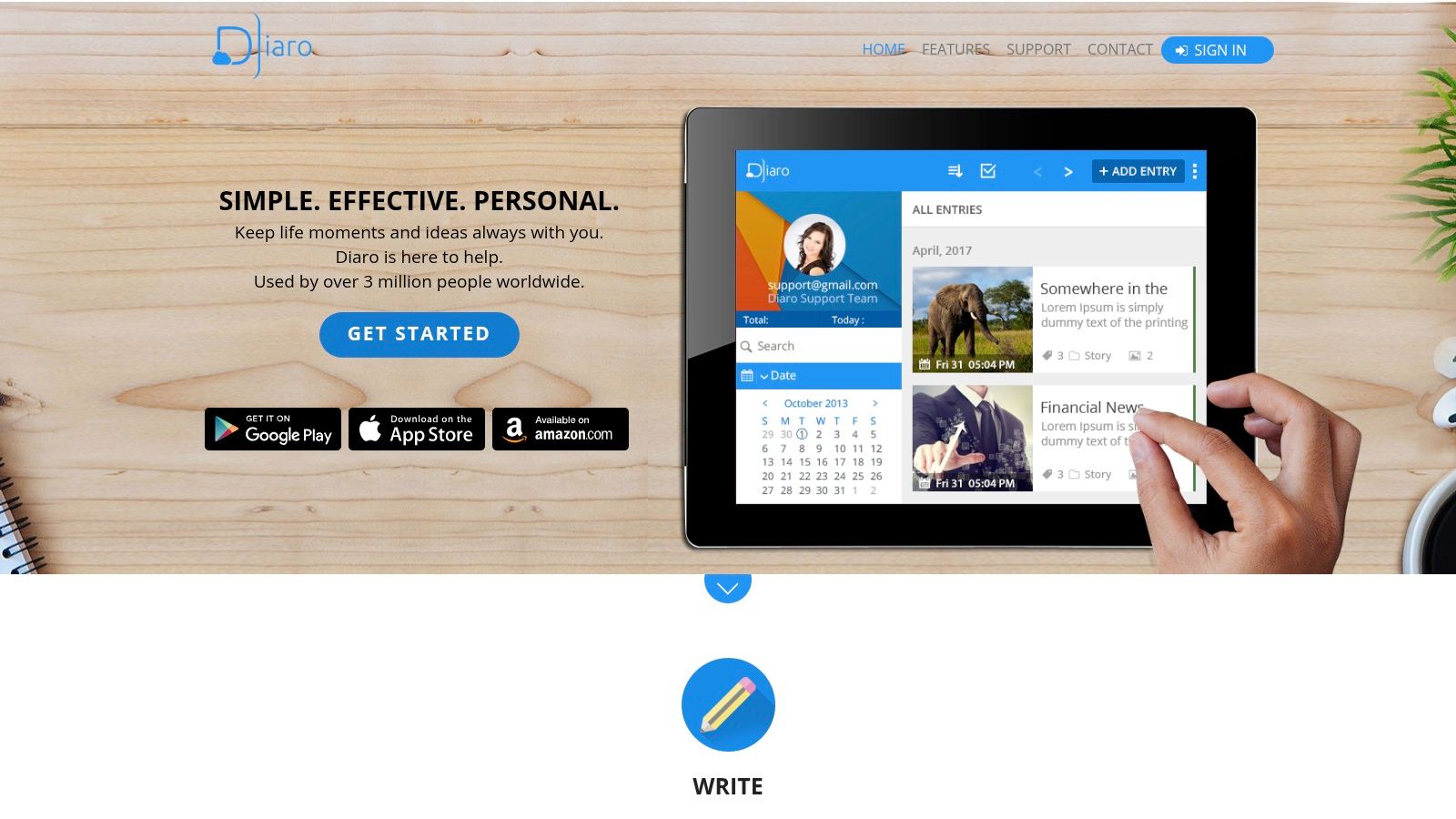
    6. Diaro

    Diaro is a robust photo journal app that excels in organization and privacy, making it a solid choice for anyone looking to document their life’s journey, from casual memories to detailed travel logs. Its comprehensive features cater to both quick jottings and in-depth entries, allowing you to seamlessly blend text, photos, and location data to create a rich tapestry of your experiences. This makes it particularly appealing to frequent travelers, globetrotters, and those who value keeping a detailed record of their lives.

    Diaro

    Imagine you’re exploring a new city. With Diaro, you can snap multiple photos of your favorite sights, jot down your impressions, tag the entry with “travel” and the city’s name, and even have the app automatically record your location. Later, searching for entries tagged with that city will bring up all your photos and notes from that trip, presented on a map view for easy navigation. This feature is incredibly useful for travel bloggers and social media enthusiasts who want to quickly curate content from their trips.

    Diaro’s organizational system, featuring folders, tags, and location-based entries, sets it apart from simpler photo journal apps. This is a boon for memory journaling and life-logging enthusiasts who accumulate a large number of entries over time. The advanced search functionality allows you to easily pinpoint specific entries, even within a vast archive. While the interface might not be as visually polished as some competitors, its clean design prioritizes functionality and ease of use. The customizable interface with themes allows you to personalize the app to your liking.

    For privacy-conscious iOS users, Diaro offers peace of mind with password protection and encrypted backup options. Your personal reflections and photos are kept secure, allowing you to journal with confidence. While Diaro supports cross-platform syncing and offers web access, occasional sync issues between devices can occur. Another limitation is its relatively basic photo editing capabilities. If extensive image manipulation is a priority, you might consider supplementing Diaro with a dedicated photo editing app.

    Diaro utilizes a one-time purchase model ($3.99) rather than a subscription, which is a refreshing change in a market dominated by subscription services. This makes it a cost-effective solution for long-term journaling. Diaro is available for iOS, Android, and web, making it accessible across various devices. To get started, simply download the app from your respective app store or visit their website to learn more. Diaro’s combination of robust organization, privacy features, and a one-time purchase price earns its spot on this list of top photo journal apps.

    Diaro Website

    7. 1 Second Everyday

    1 Second Everyday (1SE) offers a unique spin on the traditional photo journal app by focusing on video. Instead of static images, 1SE prompts you to capture a single second of video each day. These snippets are then compiled into dynamic time-lapse movies, offering a compelling visual diary of your life. While its core strength lies in video, the app has broadened its scope to incorporate some traditional journaling elements, allowing for multiple seconds of video per day and the inclusion of text notes. This makes it a versatile option for anyone looking to document their lives in a more engaging way.

    1 Second Everyday

    For frequent travelers and globetrotters, 1SE offers a dynamic way to condense epic adventures into digestible, shareable movies. Imagine compiling a year’s worth of travel highlights, each second representing a different country, a breathtaking vista, or a memorable cultural encounter. Privacy-conscious iOS users will appreciate that their video snippets are stored locally on their device, offering a measure of control not always found with cloud-based photo journal apps. Travel bloggers and social media enthusiasts will find the easy-to-create video montages ideal for content creation, adding a unique and engaging element to their platforms. And for memory journaling and life-logging enthusiasts in general, 1SE provides a powerful and efficient way to capture and relive life’s moments.

    The core functionality of creating and compiling these daily video snippets is available in the free version. However, unlocking premium features like unlimited projects, editing tools, and higher video quality requires a subscription, priced at $4.99/month or $39.99/year. While 1SE’s video-centric approach is its biggest strength, it also leads to some limitations in terms of traditional journaling features. The text capabilities are less extensive than those found in dedicated text-based journaling apps, making it less suitable for those who prefer to express themselves through writing.

    Setting up 1SE is straightforward. Download the app, set reminders to prompt you to capture your daily second, and start recording. The app’s calendar interface provides a visual overview of your captured moments, making it easy to review and edit past entries. Think of it as a visual calendar of your life, with each day represented by a brief but impactful video clip. This method requires minimal daily time commitment, making it sustainable even for busy individuals. Over time, these fleeting moments coalesce into a powerful narrative of your life. Compared to other photo journal apps that might require significant time and effort for curation and editing, 1SE streamlines the process, focusing on the essence of each day.

    While 1SE excels in video-based memory keeping, apps like Day One offer more robust features for traditional journaling, including rich text editing, audio recording, and location tagging. If your priority is detailed written reflections, Day One might be a better choice. However, for those seeking a visually captivating and efficient way to document their lives, 1SE is a compelling option. The link to the app’s website is https://1se.co/.

    8. Grid Diary

    Grid Diary stands out among photo journal apps thanks to its unique structured approach. Instead of a blank page, you’re greeted with a customizable grid system. This grid acts as a template, offering prompts or questions to guide your journaling. Prompts like “What made me smile today?” or “What did I learn today?” help you reflect on your experiences and overcome writer’s block, making it ideal for those new to journaling or who prefer a more guided approach. Each cell within the grid can accommodate both text and a photograph, allowing you to visually document your day while also delving deeper into specific aspects of it. This combination of visual and written journaling makes Grid Diary particularly well-suited for memory keeping, reflection, and mindfulness practices.

    Grid Diary

    For frequent travelers and globetrotters, Grid Diary offers a powerful way to chronicle adventures. Imagine documenting a day exploring a new city: a photo of a stunning landmark coupled with a reflection on its historical significance, a picture of a delicious local dish paired with notes on its flavors, and a selfie with newfound friends alongside a description of the memorable encounter. This structured format facilitates a richer, more organized travel journal compared to simply adding photos to an album.

    The app provides daily, weekly, and monthly view options, enabling you to review your entries across different timeframes and gain valuable insights into patterns and personal growth. Pre-made templates catered to various journaling styles, such as gratitude or goal setting, offer further flexibility and allow you to tailor the app to your specific needs. The clean, minimalist interface further enhances the journaling experience, providing a distraction-free environment. Grid Diary also offers export options in PDF and other formats, making it easy to share or archive your journal entries.

    While the core functionality is free, unlocking premium features like additional templates and customization options requires a subscription priced at $4.99/month or $29.99/year. One potential drawback is its photo management, which might be considered limited compared to dedicated photo journaling apps. If your primary focus is intricate photo editing and organization, a dedicated photo app might be a better choice. Similarly, those who prefer free-form journaling might find the grid structure a bit restrictive.

    Despite these limitations, Grid Diary earns its spot on this list due to its innovative approach. The guided prompts and structured format are invaluable for building a consistent journaling habit and fostering deeper reflection. For anyone looking to combine photos with insightful written entries in an organized and accessible manner, Grid Diary (https://griddiaryapp.com/) is well worth considering.

    Preserve Your Precious Moments: Choosing the Right Photo Journal App

    Finding the perfect photo journal app can transform how you document and cherish your experiences. From the minimalist elegance of Day One to the versatile features of Journey, the structured approach of Grid Diary, or the video-focused approach of 1 Second Everyday, each app on this list offers a unique take on digital journaling. We’ve explored options catering to various needs, whether you’re a globetrotter seeking seamless cross-platform syncing (like Diaro), a privacy-conscious iOS user drawn to Momento, a social media enthusiast leveraging Daylio’s visual mood tracking, or a memory keeper looking for comprehensive life-logging (like Acti). Remember to consider factors like platform compatibility, privacy features, social sharing options, and the level of structure you prefer when making your decision.

    If you’re looking for creative inspiration or help generating ideas for your photo journal, an AI content generator can be a valuable tool. Ai Content Generator from OutBrand can provide prompts and ideas to help you craft compelling narratives around your photos and experiences.

    The most important takeaway? The best photo journal app is the one you’ll actually use. Start documenting your journey, no matter how big or small. Every photo, every note, every memory is a piece of your story, waiting to be told. Ready to start capturing life’s adventures with a powerful and intuitive photo journal app? Check out Acti, a comprehensive platform that seamlessly blends photo journaling with activity tracking, providing a holistic view of your daily experiences. It’s an ideal choice for those seeking a deeper connection between their memories and their active lifestyle.

  • Top 6 Travel Journals with World Map for 2025

    Top 6 Travel Journals with World Map for 2025

    Ready to Document Your Next Adventure?

    Finding the perfect travel journal with world map can transform how you chronicle your explorations. This list offers top tools for 2025, solving the problem of disorganized travel memories and helping you visually track your journeys. Discover options ranging from classic notebooks to innovative digital solutions like Acti, a life journal & travel tracker for iOS – your automatic life timeline with places, photos, workouts, and memories. Whether you prefer scratching off visited countries or digitally logging your adventures, this list will help you find the ideal travel journal with world map to capture every unforgettable moment.

    1. Acti

    Acti is Life journal & travel tracker for iOS, your automatic life timeline with places, photos, workouts, and memories. This powerful and privacy-focused iOS application is designed for effortlessly capturing and organizing your life and travel experiences. Unlike apps that require constant manual input, Acti automatically logs your visits to familiar locations using on-device location data. This eliminates the tedious task of remembering to “check in” and offers a seamless way to build a detailed travel journal with world map integration through its location logging. This automatic geotagging effectively creates a personalized world map of your adventures over time. Furthermore, Acti requires no registration or cloud storage, guaranteeing your personal information remains completely private. This commitment to privacy makes it an excellent choice for users concerned about data security in an increasingly connected world.

    Acti offers a rich array of features to enhance your journaling experience. You can enrich entries with photos, comments, and ratings, transforming simple location markers into vibrant memories. Sharing your favorite spots on social media is also easy, allowing you to connect with friends and family. Customizable timelines let you explore your visits by day, week, month, or year, while detailed summaries by location and category offer insights into your travel patterns and habits. This combination of automatic logging and personalized additions transforms fragmented memories into insightful stories. Seamless integration with the iOS Calendar and Health apps provides a comprehensive overview of your activities and travels alongside your health data, painting a complete picture of your well-being.

    Features Explained:

    • Automatic Visit Logging: Passively tracks locations, building a travel history without manual input.
    • Privacy Focus: No registration or cloud storage ensures data security and user privacy.
    • Rich Journaling: Add photos, comments, and ratings to personalize location entries.
    • Customizable Timelines: View travel history by various timeframes (day, week, month, year).
    • Detailed Summaries: Analyze travel data by location and category for insightful overviews.
    • Social Sharing: Easily share favorite locations on social media platforms.
    • iOS Integration: Connects with iOS Calendar and Health apps for a holistic data view.
    • Multilingual Support: Available in English, Spanish, and Russian, with German and French coming soon.

    Pros:

    • Automatic visit logging without the need for registration or external storage keeps your privacy intact.
    • Rich journaling features: add photos, comments, and ratings to personalize each visit.
    • Customizable timelines and detailed summaries help visualize and analyze travel and activity data over time.
    • Seamless integration with iOS Calendar and Health apps offers a holistic view of your life and health data alongside travel info.
    • Multilingual support with English, Spanish, Russian available now, and German and French versions in development.

    Cons:

    • Currently limited to iOS devices, excluding Android users.
    • Some language versions (German and French) are still in development.

    Acti deserves its place on this list because it offers a unique blend of automatic tracking, robust journaling features, and unwavering privacy. Its intuitive design and focus on user experience make it a compelling choice for anyone looking to create a comprehensive and secure travel journal with world map visualization capabilities. Whether you’re a frequent traveler, a privacy-conscious user, or a life-logging enthusiast, Acti provides a beautiful and practical way to relive and reflect on your adventures.

    Visit the Acti website at https://getacti.app to learn more.

    2. Scratch Off World Map Travel Journal by Newverest

    For those seeking a tangible record of their adventures alongside a detailed account of their journeys, the Newverest Scratch Off World Map Travel Journal is an excellent choice. This all-in-one travel journal with world map combines the tactile fun of a scratch-off map with the organizational power of a guided journal. It’s perfect for charting your travels and meticulously documenting your experiences, making it a fantastic option for frequent travelers and globetrotters looking for a comprehensive travel companion.

    The journal features a high-quality scratch-off world map with a luxurious gold foil overlay. As you explore new countries, simply use the included scratch tool to reveal the vibrant colors underneath, creating a personalized visual representation of your global footprint. The detailed map clearly marks country borders, allowing for accurate scratching and a visually appealing record of your travels.

    Beyond the map, the 120-page guided travel journal provides dedicated sections for all aspects of trip planning and memory keeping. Pre-formatted pages help you organize your itineraries, budgets, and packing lists, ensuring you’re always prepared for your next adventure. Daily entry pages offer ample space to jot down your experiences, reflections, and memorable moments, even though some users have noted that the space might be limited for extremely detailed accounts of multiple trips. Adhesive stickers are also included, offering another way to personalize your map and mark specific locations.

    The Newverest Scratch Off World Map Travel Journal comes in a compact 8.5″ x 11″ size with durable hardcover protection, making it ideal for tossing in your backpack or carry-on. The hardcover design adds to its travel durability, safeguarding your memories and ensuring the journal withstands the rigors of travel. The included gift box also makes it a fantastic present for the travel enthusiast in your life.

    Pros:

    • All-in-one solution combining map and journal functionality.
    • Durable hardcover design for travel durability.
    • Detailed journal prompts help organize travel memories.
    • Colorful map design with country borders clearly marked.
    • Comes in a gift-ready box.

    Cons:

    • Some users report inconsistent scratching.
    • Limited space for extensive writing about multiple trips.
    • Map portion is smaller than standalone scratch maps.

    While the Newverest journal offers a physical and visual way to document your journeys, consider digital alternatives like Acti, a life journal and travel tracker for iOS. Acti, with its tagline — “Acti is Life journal & travel tracker for iOS, your automatic life timeline with places, photos, workouts, and memories” — allows you to automatically track your location history, add photos, and journal entries, creating a digital timeline of your life.

    Learn more about Scratch Off World Map Travel Journal by Newverest for a comparison and discover how combining a physical journal with a digital platform like Acti can create a rich and comprehensive record of your experiences. This could be particularly appealing to travel bloggers and social media enthusiasts, memory journaling and life-logging enthusiasts, or anyone who wants a readily shareable format for their travel memories.

    Visit the Newverest website to purchase the Scratch Off World Map Travel Journal. Pricing information is available on their website. This travel journal with world map deserves a spot on this list because it offers a unique and engaging way to document your global adventures, combining visual appeal with practical functionality.

    3. Moleskine Voyageur Traveller’s Notebook

    For the discerning traveler seeking a sophisticated and organized approach to documenting their adventures, the Moleskine Voyageur Traveller’s Notebook stands out as a premium choice among travel journals with world map features. More than just a blank notebook, the Voyageur combines practical travel planning tools with dedicated space for personal reflections, making it an ideal companion for both pre-trip organization and post-trip reminiscing.

    This travel journal with world map goes beyond a simple cover design. A world map is embossed on the cover, complemented by detailed continental maps inside, immediately setting the tone for global exploration. Three ribbon bookmarks allow for seamless navigation between the various sections, including dedicated pages for trip planning, budgeting, and calendar overviews. The detachable packing and to-do lists add an extra layer of convenience, simplifying the often-overwhelming task of pre-trip preparation. And for those small treasures gathered along the way, the expandable inner pocket provides safe storage for travel mementos.

    Beyond its organizational features, the Moleskine Voyageur offers the quality Moleskine is renowned for. The premium, acid-free paper resists ink bleeding and ghosting, ensuring your handwritten notes and sketches remain crisp and clear. The sophisticated, minimalist design holds a professional appeal, while the notebook’s durable construction is built to withstand the rigors of frequent travel.

    Compared to simpler travel journals, the Moleskine Voyageur offers a more comprehensive and structured approach to travel documentation. While some digital apps might offer interactive features like scratch-off world maps, the Voyageur provides a tangible, tactile experience that resonates with many travelers.

    Features and Benefits:

    • World map embossed on cover with detailed continental maps inside: Provides a visual reminder of your global journeys and aids in pre-trip planning.
    • Three ribbon bookmarks: Allows quick access to different sections like trip planning, journaling, and budgeting.
    • Travel planning tools, budget pages, and calendar views: Streamlines the organizational aspect of travel.
    • Detachable packing and to-do lists: Offers a convenient and flexible way to manage pre-trip preparations.
    • Expandable inner pocket: Provides a secure place to store small mementos, tickets, and other travel ephemera.
    • Premium, acid-free paper: Resists ink bleeding and ghosting.
    • Durable construction: Built to withstand the wear and tear of frequent travel.

    Pros:

    • Premium paper quality
    • Sophisticated, minimalist design
    • Excellent durability
    • Thoughtfully organized sections

    Cons:

    • Higher price point ($29.95)
    • No scratch-off map feature
    • Limited space for documenting multiple extensive trips

    Website: https://www.moleskine.com/en-us/shop/notebooks/journals/voyageur/

    This travel journal with world map deserves its place on this list because it bridges the gap between a practical travel planner and a personal journal. While other options might focus solely on one or the other, the Moleskine Voyageur seamlessly integrates both, providing a comprehensive tool for capturing the entirety of your travel experiences. It’s an investment for the serious traveler who values both organization and the art of preserving travel memories. For those seeking a digital alternative, consider apps like Acti, a life journal and travel tracker for iOS that automatically creates a timeline of your experiences with places, photos, workouts, and memories. Acti is your automatic life timeline, capturing your experiences as you live them.

    4. RETTACY Leather Travel Journal with World Map

    For travelers seeking a tangible and personalized way to document their journeys, the RETTACY Leather Travel Journal with World Map offers a compelling blend of classic style and practical functionality. This journal stands out with its vintage aesthetic, robust build, and clever refillable design, making it an excellent choice for those who value both form and function in their travel journal with world map.

    The journal’s genuine leather cover, embossed with a detailed world map, immediately sets it apart. As you traverse the globe, the leather develops a unique patina, creating a visual representation of your adventures etched onto the journal itself. This personalized touch makes the RETTACY journal more than just a notebook; it becomes a cherished memento of your travels. Inside, you’ll find a refillable system with three different paper inserts: lined for detailed notes, blank for sketches and drawings, and kraft paper for a more rustic feel. With a total of 480 pages, there’s ample space to chronicle every aspect of your trip, from bustling cityscapes to serene natural landscapes.

    Beyond its beautiful exterior and ample writing space, the RETTACY journal boasts several practical features that enhance its usability. A built-in pen holder ensures you always have a writing instrument at hand, while multiple card slots offer convenient storage for travel documents or small mementos. A zippered pocket provides extra security for important items. The secure leather strap closure keeps the journal closed during transit, protecting your precious entries. Its compact size (5.3″ x 7.9″) makes it easy to slip into a backpack or carry-on bag. While the leather does require occasional maintenance, the durable construction is built to withstand years of travel, making it a worthwhile investment for avid explorers.

    While the RETTACY journal shines with its tangible charm and longevity, digital tools like Acti can complement your physical journaling experience. Acti is a Life journal & travel tracker for iOS, your automatic life timeline with places, photos, workouts, and memories. It helps you automatically log your daily activities and locations, creating a digital record of your journey.

    Learn more about RETTACY Leather Travel Journal with World Map and explore how combining digital tracking with traditional journaling can provide a comprehensive and enriching travel documentation experience.

    Pros:

    • Refillable design provides excellent long-term value.
    • Vintage aesthetic appeals to traditional journaling enthusiasts.
    • Multiple paper types accommodate different documentation styles.
    • Durable construction designed to last for many years of travel.

    Cons:

    • Heavier than synthetic alternatives.
    • No structured travel-specific prompts or sections.
    • Leather requires occasional maintenance.

    Website: https://www.rettacy.com/products/rettacy-refillable-leather-journal

    This travel journal with world map deserves a spot on this list because of its blend of practicality and sentimentality. It’s an ideal choice for travelers who appreciate the tactile experience of writing and want a personalized keepsake to remember their adventures by. While it doesn’t offer the digital conveniences of apps like Acti, it provides a tangible space for reflection and creative expression, making it a perfect companion for those who want to capture the essence of their journeys in a unique and meaningful way.

    5. Wanderlust Maps Travel Journal with Scratch Off Map

    For those who love the tactile satisfaction of scratching off destinations they’ve visited, the Wanderlust Maps Travel Journal with Scratch Off Map offers a unique blend of a traditional travel journal with a visual record of your global adventures. This travel journal with world map is a fantastic option for charting your journeys and reliving your memories, making it a worthy addition to our list.

    This set includes a detachable 16″ x 12″ scratch-off world map poster and an 80-page travel journal. Unlike some travel journals with world maps that integrate the map directly into the book, this design allows you to display your scratched-off map prominently, even while using the journal separately. The journal itself is cleverly organized into sections for five separate trips, each containing pre-trip planning pages for things like packing lists and budget trackers, as well as dedicated daily reflection pages to jot down your experiences. It also boasts handy resources like currency converters and basic phrase translations to help you navigate unfamiliar territories. The inclusion of a complete scratch kit and decorative stickers adds a touch of personalized flair.

    Practical Applications and Use Cases:

    • Tracking Your Travels: Scratch off each country you visit on the large world map and use the journal to document details of your trips. This allows for both a visual and written record of your adventures.
    • Trip Planning: Utilize the pre-trip planning sections to organize your itinerary, budget, packing list, and important phrases before embarking on your journey.
    • Memory Keeping: The daily reflection pages provide dedicated space for jotting down your experiences, thoughts, and memories from each day of your trip.
    • Gift Giving: The premium gift box makes this an excellent present for the travel enthusiast in your life.

    Features and Benefits:

    • Detachable Map: Display your travel progress proudly on your wall, independent of the journal.
    • Organized Sections: Five dedicated trip sections provide structured planning and reflection space.
    • Comprehensive Resources: Built-in tools like packing lists, budget trackers, currency converters, and phrase translations make trip planning easier.
    • High-Quality Paper: Suitable for a variety of writing instruments.
    • Complete Scratch Kit: Everything you need to start scratching off your adventures is included.

    Pros:

    • Detachable map offers flexibility for display.
    • Comprehensive planning sections for multiple trips.
    • Excellent gift presentation with premium packaging.
    • Good value for the combined map and journal.

    Cons:

    • Map and journal are separate, not integrated.
    • Limited to documenting five trips.
    • Some users have reported durability issues with the binding.

    Website: https://wanderlustmaps.com/products/travel-journal-with-scratch-off-world-map

    (Pricing information was not available at the time of writing this section.)

    Comparison with Similar Tools: While many travel journals exist, the Wanderlust Maps Travel Journal stands out with its inclusion of the large, detachable scratch-off map. This feature sets it apart from more traditional journals and adds a visual element that many travelers will appreciate.

    Implementation/Setup Tips:

    • Before your trip, use the planning sections to outline your itinerary, budget, and packing list.
    • Pack the journal and scratch tool with you so you can update the map and record your experiences as you travel.
    • Consider using different colored pens or stickers to personalize your entries.

    This travel journal with world map offers a tangible and visually appealing way to track your journeys. While it has limitations regarding the number of trips it can document, its comprehensive features, beautiful presentation, and the included scratch-off map make it a worthwhile investment for avid travelers. For a digital alternative, consider Acti: Life journal & travel tracker for iOS, your automatic life timeline with places, photos, workouts, and memories. Acti offers a different approach to travel journaling by automatically capturing your location data and allowing you to add photos, notes, and other details to create a comprehensive record of your life’s journey.

    6. Letterfolk Passport Travel Journal

    For those seeking a truly unique and portable travel journal with world map integration, the Letterfolk Passport Travel Journal stands out. Designed to resemble a real passport, this journal offers a fun and thematic approach to documenting your adventures. It combines a world map page for tracking visited countries with dedicated trip planning sections and daily journal pages. This allows you to not only record your daily experiences but also visualize your journeys across the globe. The 48 pages of premium 70# paper provide a smooth writing experience and minimize bleed-through, ensuring your memories are preserved in pristine condition. Its compact 3.5″ x 5″ size makes it incredibly easy to slip into a pocket or small bag, ideal for on-the-go journaling.

    The Letterfolk Passport Travel Journal shines with its structured format, which is particularly useful for organizing multiple trips within its compact design. Eight pre-formatted trip sections provide dedicated spaces for planning and journaling each adventure. The integrated world map allows for color-coding, making it easy to visually categorize and differentiate between various trips. This journal is a fantastic option for frequent travelers and globetrotters who appreciate a blend of novelty, organization, and portability. While it lacks the scratch-off feature found in some world map journals, the color-coding system provides a practical alternative for visually tracking your travels.

    Looking for a digital solution to complement your physical travel journal? Acti, a life journal and travel tracker for iOS, might be just what you need. Acti automatically creates a life timeline with places, photos, workouts, and memories – serving as a comprehensive digital record of your experiences. Learn more about Letterfolk Passport Travel Journal and explore how combining Acti with the Letterfolk Passport Travel Journal can create a robust and multi-faceted approach to preserving your travel memories. This can be especially useful for travel bloggers and social media enthusiasts seeking to easily share their journeys.

    Features:

    • Passport-inspired design with a world map for tracking visits
    • Compact size (3.5″ x 5″)
    • 8 trip sections with pre-formatted pages
    • Color-coding system for trip categorization
    • 70# premium paper

    Pros:

    • Ultra-portable size
    • Unique passport design
    • Excellent paper quality
    • Structured format

    Cons:

    • Limited writing space per day
    • Not refillable
    • Map is for color-coding, not scratching off

    The Letterfolk Passport Travel Journal deserves a spot on this list because it offers a unique and engaging way to document travels. Its passport-inspired design and compact size make it a practical and fun travel companion. The structured layout and color-coding system facilitate organization, making it a great choice for those who value both form and function in their travel journal with world map. You can purchase the Letterfolk Passport Travel Journal from their website: https://www.letterfolk.com/products/passport-travel-journal.

    What’s Your Travel Journal Style?

    Choosing the right travel journal is a personal journey in itself. We’ve explored a variety of options, from the digital innovation of Acti to the classic charm of leather-bound journals and the interactive fun of scratch-off maps. Each offers a unique way to document your adventures and preserve your travel memories. Key takeaways include considering your preferred format (digital or physical), the level of detail you want to capture, and features like built-in world maps or organizational tools. Reflect on your travel style, journaling habits, and desired features to find the perfect match.

    For travel bloggers and website owners who want to track the performance of their travel journal content and see how readers engage with their travel stories, using a tool like MonsterInsights can be invaluable. This can help you understand what resonates with your audience and refine your content strategy.

    Acti, described as “the Life journal & travel tracker for iOS, your automatic life timeline with places, photos, workouts, and memories,” stands out as a powerful digital travel companion. It automatically logs your locations, allowing you to effortlessly create a personalized travel map. You can enrich your entries with photos, notes, and even details about your activities, building a comprehensive record of your journeys. While some tools offer physical maps, Acti provides a dynamic digital map tied to your real-time movements.

    Whether you prefer a digital companion like Acti, the tactile satisfaction of scratching off visited countries, or the classic elegance of a leather-bound book, there’s a travel journal out there waiting to document your next great adventure. Ready to start digitally mapping your adventures and building a comprehensive timeline of your travels?

    Explore the world and record every memory with Acti, the perfect digital travel journal with a built-in world map.