Unlocking the Power of Location: Exploring iPhone Location History Apps
Want to harness your iPhone’s location data? This listicle showcases seven top iPhone location history apps for various needs. Discover which app best suits you, whether you’re a globetrotter retracing steps, a parent prioritizing family safety, or simply curious about your movement patterns. These tools solve the problem of accessing, visualizing, and utilizing your location history. From privacy-conscious options to robust family trackers, find the perfect iPhone location history app below.
1. Acti
For the privacy-conscious iPhone user seeking a seamless way to chronicle their life’s journey, Acti stands out as a powerful and intuitive iphone location history app. This innovative app automatically transforms your daily movements and travel adventures into a rich, personal life journal, all without requiring registration or storing your sensitive location data in the cloud. Acti leverages on-device location tracking, ensuring your privacy remains paramount while meticulously logging your visits to familiar haunts and new discoveries alike.
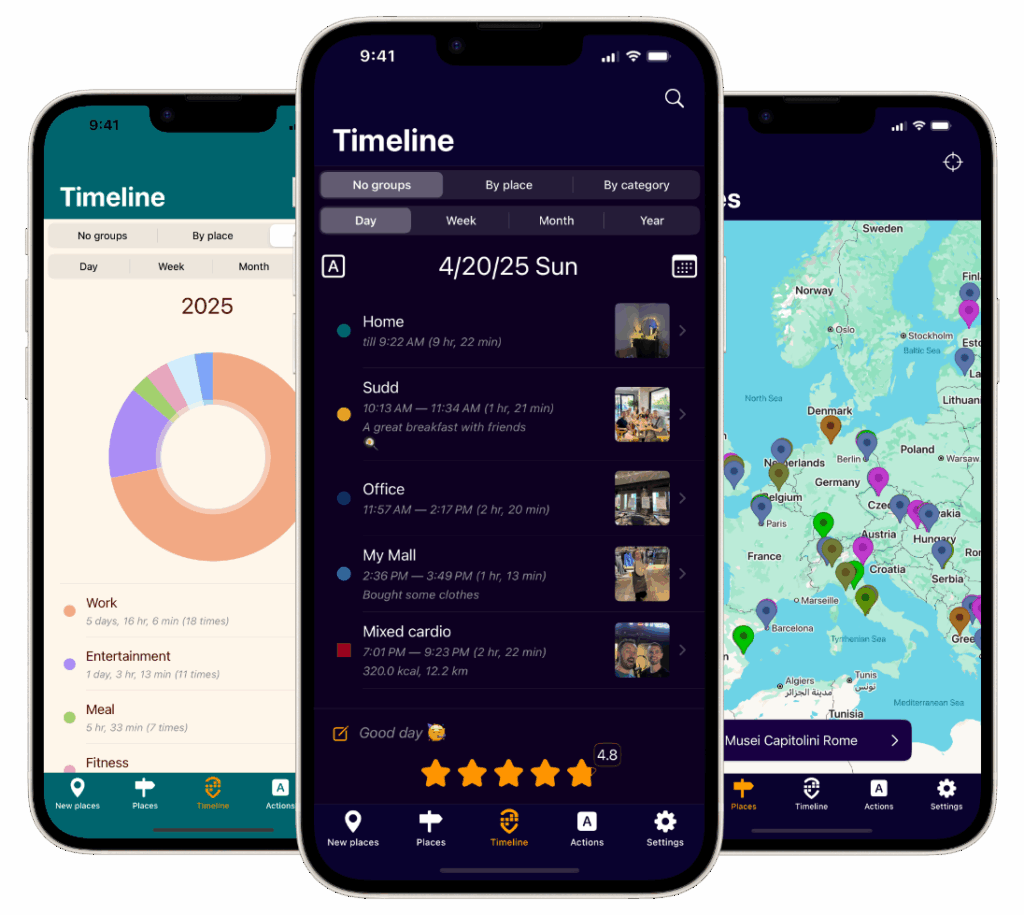
Imagine effortlessly building a detailed travelogue of your backpacking trip across Southeast Asia. Acti passively records each temple visited, each bustling market explored, and every hidden beach discovered. You can then enrich these entries with photos of breathtaking sunsets, personal reflections on the local culture, and star ratings for your favorite street food stalls. Sharing these curated moments with friends and family on social media is just a tap away. For the frequent traveler, Acti becomes more than just a location tracker; it becomes a digital scrapbook of memories, easily accessible and beautifully presented.
Beyond globetrotting, Acti integrates seamlessly into daily life. Imagine using Acti to track your weekly visits to the local farmers market, documenting your favorite vendors and seasonal produce. Or perhaps you’re training for a marathon and want to visualize your running routes over time. Acti’s customizable timelines, ranging from daily summaries to yearly retrospectives, offer a powerful way to analyze your movements and uncover patterns in your daily routines. Detailed visit summaries, categorized by location and activity type, provide further insights into how you spend your time. This feature is particularly useful for those interested in self-reflection and understanding their habits. Learn more about Acti’s offline capabilities and how it respects your privacy in their recent blog post: Learn more about Acti.
Acti’s smooth integration with the iOS ecosystem further enhances its utility. The app connects with your iOS Calendar and Health app, offering a holistic view of your daily activity, appointments, and logged workouts. Apple Watch compatibility allows for seamless tracking even when your phone isn’t readily accessible. This integration paints a comprehensive picture of your day, weaving together location data, health metrics, and scheduled events.
While other location tracking apps might offer similar features, Acti distinguishes itself with its unwavering commitment to privacy. Unlike many competitors that rely on cloud storage, Acti keeps all location data securely on your device. This eliminates the risk of data breaches and ensures that your personal information remains under your control. Moreover, Acti’s intuitive interface and customizable features cater to a wide range of users, from casual travelers to dedicated life-loggers.
Currently, Acti is exclusively available on iOS, limiting access for Android users. While the app boasts multilingual support in English, Spanish, and Russian, German and French language options are still under development. However, for iOS users seeking a powerful, private, and user-friendly iphone location history app, Acti is an excellent choice. The combination of automated logging, rich journaling features, and insightful analytics makes it a valuable tool for capturing, revisiting, and sharing life’s precious moments. Acti’s website, https://getacti.app, offers further details and access to the app.
Acti offers a compelling blend of automated tracking, rich journaling features, and insightful analytics, all while prioritizing user privacy. Whether you’re a frequent traveler, a privacy-conscious individual, or simply someone who enjoys documenting life’s journey, Acti provides an intuitive and secure platform for capturing, revisiting, and sharing your experiences.
2. Life360: Comprehensive Family Location Sharing and Safety
Life360 stands out as a leading iPhone location history app, specifically designed for families who prioritize safety and staying connected. It goes beyond simple location tracking by offering a suite of features that provide peace of mind, from real-time GPS tracking to driving reports and emergency assistance. This makes it a compelling choice for anyone looking to keep tabs on loved ones or enhance family security. Whether you’re a parent wanting to know your child arrived home safely from school, or an adult child checking in on elderly parents, Life360 provides a comprehensive platform for shared location awareness. This iphone location history app stands out for its focus on family safety, providing much more than just location pinpointing.
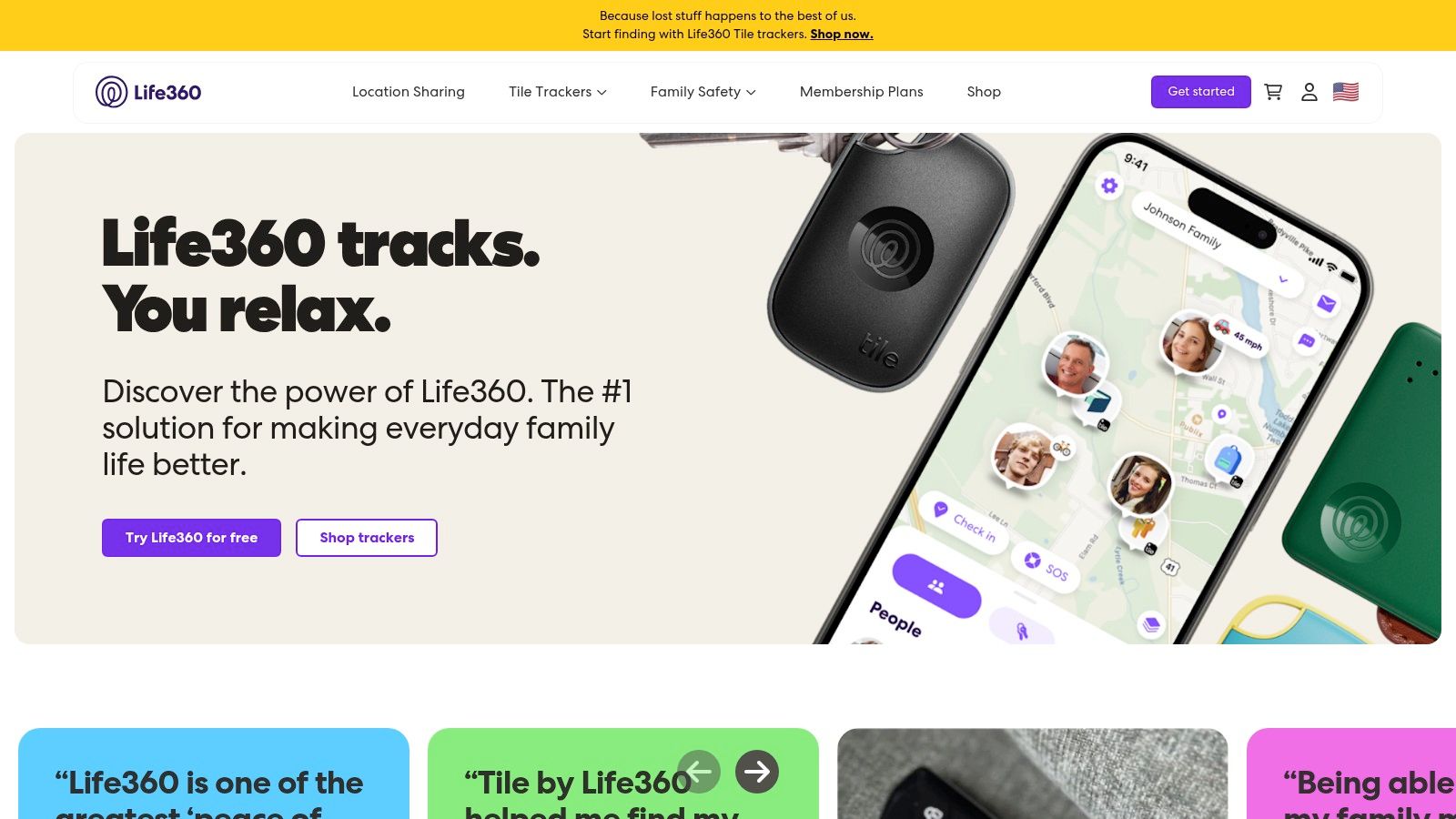
One of Life360’s key strengths is its detailed location history feature. The app automatically records the location history of connected devices for up to 30 days, allowing you to review past movements on a detailed timeline view. This is particularly useful for retracing steps, confirming arrival times, or simply understanding the daily routines of family members. For example, if a child forgets to inform their parents about a change of plans, the location history provides a quick and easy way to verify their whereabouts. The location history feature can also be beneficial for memory journaling, providing a digital record of places visited. While other iphone location history apps might offer basic tracking, Life360 elevates the functionality by presenting the information in a user-friendly timeline format.
Beyond location history, Life360 boasts a range of safety features. Geofencing allows users to set virtual boundaries around specific locations, such as home, school, or work. The app automatically sends notifications when a family member enters or leaves these designated areas. This feature provides peace of mind, especially for parents of young children or those caring for elderly relatives. Driving reports offer insights into driving habits, including speed, phone usage, and hard braking instances. This feature can be valuable for promoting safe driving practices among teenagers and encouraging responsible behavior behind the wheel. In emergency situations, the app provides an SOS button that can instantly alert designated contacts with the user’s location. The crash detection feature, powered by advanced sensors, automatically detects potential car accidents and alerts emergency services and family members.
Life360 offers both free and premium subscription plans. The free version provides essential location tracking and two days of location history, making it a good starting point for families exploring location sharing. Premium subscriptions, ranging from $7.99 to $24.99 per month, unlock additional features like extended location history (30 days), driving reports, crash detection, and roadside assistance. The pricing tiers cater to different needs and budgets, offering flexibility for families to choose the plan that best suits their requirements.
While Life360 provides a comprehensive solution for family location sharing and safety, it’s important to consider the potential drawbacks. The constant GPS tracking can be battery intensive, especially on older iPhone models. Privacy concerns may arise for some users, particularly teenagers, who might feel their independence is being infringed upon. Open communication and clear boundaries are crucial when using Life360 within families.
Setting up Life360 is straightforward. Download the app from the App Store, create an account, and invite family members to join your private circle. Once connected, you can customize notification settings, configure geofences, and access the various features. The user-friendly interface makes it easy for all age groups to navigate and use the app effectively.
In conclusion, Life360 is a powerful iphone location history app that provides a comprehensive suite of features for family safety and connection. Its combination of real-time tracking, detailed location history, geofencing, driving reports, and emergency assistance features sets it apart from other similar apps. While the premium features require a subscription and battery consumption can be a factor, the peace of mind and enhanced safety it provides makes it a valuable tool for families. You can explore more about Life360 and its offerings on their website: https://www.life360.com
3. Find My iPhone (Apple’s Find My)
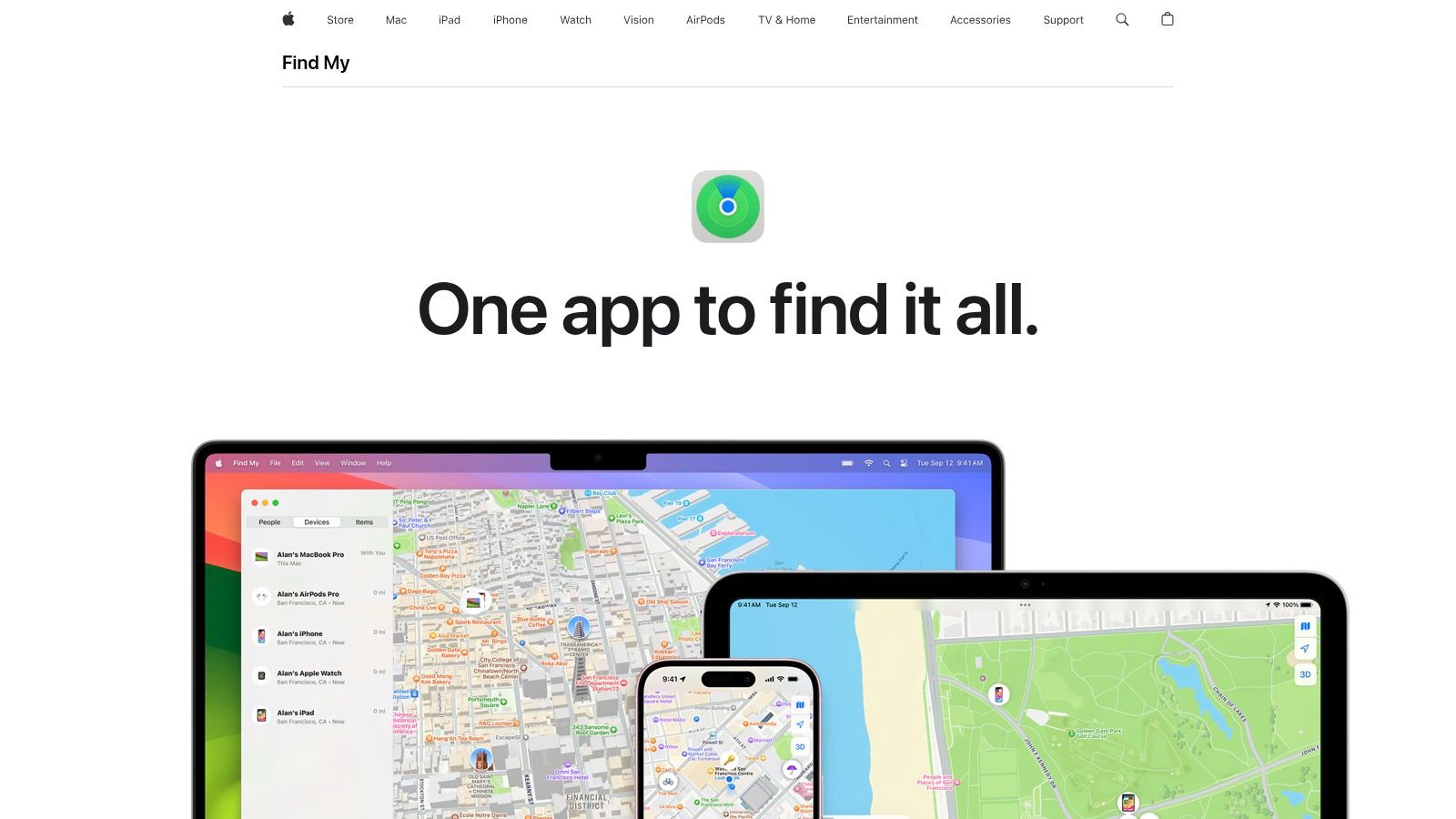
For iPhone users seeking a reliable and integrated location history app, Apple’s native Find My app stands out as an essential tool. While primarily designed for locating lost or stolen devices, Find My offers much more than just finding your iPhone. Its seamless integration within the iOS ecosystem, coupled with robust privacy features and family sharing capabilities, makes it a powerful iPhone location history app for various use cases, especially for those deeply embedded in the Apple world. Whether you’re a frequent traveler wanting to retrace your steps, a privacy-conscious individual keen on controlling your location data, or simply someone who wants the peace of mind of knowing where your devices are, Find My offers a compelling solution. It deserves its place on this list due to its inherent accessibility, strong privacy focus, and seamless integration with other Apple services.
Find My’s location history feature, accessible through “Significant Locations” in your iPhone’s Privacy settings, provides a timeline of places you’ve visited. While not as granular as some dedicated third-party iPhone location history apps, it offers a useful overview of your travel patterns and allows you to revisit past locations. This feature is particularly beneficial for travel bloggers and social media enthusiasts who want to remember specific locations from their trips, or for memory journaling and life-logging enthusiasts who want to keep a digital record of their whereabouts. Apple Watch and Health app users will also appreciate the integration with Find My, as it contributes to a holistic view of their daily activities and movements.
One of the most significant advantages of Find My is its deep integration within the Apple ecosystem. It works seamlessly across all your Apple devices – iPhones, iPads, Macs, and even AirPods – providing a unified platform for locating your belongings. For families, the location sharing feature allows members to see each other’s real-time locations, enhancing safety and coordination. Imagine a family vacation where everyone can easily find each other in a crowded theme park, or the peace of mind of knowing your child arrived safely at school. These practical applications make Find My an invaluable tool for everyday life.
Privacy is a paramount concern for many users, and Find My addresses this with end-to-end encryption. Your location data is encrypted and only accessible to you, ensuring that Apple and third parties cannot access your movements. Learn more about Find My iPhone (Apple’s Find My) for a deeper dive into the privacy implications of location data. This strong privacy focus makes Find My a compelling choice for privacy-conscious iOS users.
Setting up Find My is straightforward. It’s built directly into iOS, so there’s no need to download a separate app. Simply ensure that the “Find My iPhone” feature is enabled in your iCloud settings, and your device’s location will be automatically tracked. For family sharing, invite family members through the Find My app. The intuitive interface makes it easy to manage location sharing preferences and access location history.
While Find My offers numerous benefits, it’s important to be aware of its limitations. As mentioned earlier, the location history is less detailed compared to some dedicated third-party apps. It also only works within the Apple ecosystem, so if you have Android devices, you’ll need a different solution. The interface, while user-friendly, offers limited customization options. Finally, accessing the detailed location history requires manual navigation through the Settings app, which can be slightly inconvenient.
Despite these minor drawbacks, Find My remains a powerful and versatile iPhone location history app, especially for those invested in the Apple ecosystem. It’s completely free, inherently secure, and offers a range of practical features for locating devices, sharing locations with family, and reviewing your past movements. For globetrotters constantly on the move, families seeking enhanced safety and coordination, or anyone who values the privacy of their location data, Find My is a valuable tool to have at your disposal.
4. Google Maps Timeline
Google Maps Timeline is a powerful, free iPhone location history app built into the ubiquitous Google Maps platform. While not exclusively designed for iPhones, it functions seamlessly on iOS devices, offering a comprehensive record of your movements throughout the day. This makes it an excellent choice for anyone looking to track their location history, from frequent travelers and globetrotters to those simply curious about their daily routines. This feature automatically tracks and stores your location data when location services are enabled, providing a detailed retrospective of the places you’ve visited, routes you’ve taken, and the duration of your stay at each location. All this information is conveniently stored within your Google account, making it accessible from any device where you’re logged in.
For the frequent traveler, Google Maps Timeline acts as a digital travel journal. Imagine effortlessly retracing your steps through a foreign city, rediscovering that hidden gem of a café, or simply remembering the exact date you visited that breathtaking viewpoint. Travel bloggers and social media enthusiasts can leverage the detailed location data to enrich their content, providing precise location tags and adding a layer of authenticity to their travel stories. The Timeline feature also offers monthly and yearly summaries with insightful statistics about your travel patterns, allowing you to visualize your journeys and potentially identify trends in your exploration habits.
Beyond travel, Google Maps Timeline caters to various other needs. Memory journaling and life-logging enthusiasts can use the app to keep track of their daily activities and significant life events tied to specific locations. Apple Watch and Health app users can benefit from the integration with Google Fit, further enriching their health and activity data. Even for casual users, Google Maps Timeline can be a valuable tool for remembering where you parked your car, retracing a lost item, or simply reflecting on past experiences.
One of the standout features of Google Maps Timeline is its seamless integration with other Google services. This provides enhanced location context, enriching the data with information from your Google Photos, searches, and other activities. For example, if you took photos at a specific location, they might appear alongside the location entry in your Timeline. This integration creates a richer, more contextualized view of your past activities, making it more than just a simple list of locations.
Google Maps Timeline is a free service, requiring only a Google account and enabling location services on your iPhone. This ease of access makes it a compelling option for anyone with an existing Google account. The detailed timeline view is easy to navigate, allowing users to browse through their location history by date, view routes on a map, and explore detailed information about each visit. The platform also provides manual editing capabilities, allowing you to correct any inaccuracies in the location data or remove entries entirely. Furthermore, the export functionality allows for personal data backup, giving you control over your location information.
However, the extensive data collection practices of Google are a significant concern for privacy-conscious users. While the service is undeniably convenient and feature-rich, the level of data shared with Google might be a deal-breaker for some. The continuous location tracking can also contribute to battery drain, although modern iPhones manage background location services relatively well. Finally, while generally intuitive, the sheer volume of data presented can sometimes feel overwhelming for casual users.
Despite these drawbacks, Google Maps Timeline offers a powerful and comprehensive location history solution for iPhone users. Its extensive features, free access, and tight integration with the Google ecosystem make it a valuable tool for various use cases, from travel journaling to memory keeping and even everyday practicalities. If you’re comfortable with Google’s data collection practices and looking for a robust location history app, Google Maps Timeline (https://maps.google.com/timeline) is undoubtedly worth exploring.
5. GPS Tracks
For users seeking a professional-grade solution for tracking and managing their location history on an iPhone, GPS Tracks stands out as a powerful option. This isn’t your average, run-of-the-mill location tracker; it’s designed for precision and detailed recording, making it an invaluable tool for outdoor adventurers, meticulous travelers, and professionals who require accurate location data. Whether you’re hiking through remote trails, navigating a new city, or documenting your journeys for work, GPS Tracks offers a robust set of features to capture and analyze your movements. Its focus on creating comprehensive travel logs, coupled with versatile export capabilities, sets it apart from simpler location history apps. This app deserves a spot on this list because it provides a level of detail and control that is unmatched by many other iPhone location history apps.

One of GPS Tracks’ core strengths lies in its high-precision GPS tracking. Unlike some apps that rely on less accurate methods like cell tower triangulation, GPS Tracks leverages the full power of your iPhone’s GPS capabilities to pinpoint your location with remarkable accuracy. You can even customize the recording intervals, allowing you to balance tracking detail with battery life. Need to record every minute detail of a challenging hike? Set a short interval. Want a less granular record of a road trip? Extend the interval to save power. This flexibility makes GPS Tracks adaptable to a wide range of tracking needs. Detailed track statistics, including distance traveled, speed, and elevation changes, are automatically calculated and displayed, providing valuable insights into your journeys. This data is not just for viewing; it’s readily exportable in various formats like GPX, KML, and CSV, allowing you to import it into other mapping software, spreadsheets, or data analysis tools. Learn more about GPS Tracks and how it can integrate with your travel journaling.
For those venturing off the beaten path, GPS Tracks’ offline map support is a crucial feature. Unlike many location tracking apps that require a constant internet connection, GPS Tracks allows you to download maps for offline use. This ensures you can continue tracking and navigating even in areas without cellular service or Wi-Fi, providing peace of mind for adventurers and travelers in remote locations. Furthermore, the app offers robust track editing and waypoint management tools, allowing you to refine your recorded paths, add markers for points of interest, and create highly customized location logs.
While GPS Tracks boasts a powerful feature set, it’s important to acknowledge its potential drawbacks. The interface, geared towards professional use, may appear slightly technical for casual users who simply want basic location tracking. There’s a bit of a learning curve to fully grasp all the features and customization options. Additionally, some premium features, such as advanced export options and offline map downloads, require a one-time in-app purchase of $4.99. Finally, as with any app that relies heavily on GPS, battery consumption can be significant if you’re using high-frequency tracking.
For the target audience of frequent travelers, globetrotters, and those interested in detailed memory journaling, the benefits of GPS Tracks can outweigh the initial learning curve. Imagine being able to precisely map your hiking route through a national park, complete with elevation profiles, then export that data to share with friends or integrate into a blog post. Think about the peace of mind knowing you can track your location even without internet access when exploring a foreign city. Or consider the value of having a detailed historical record of your travels, complete with timestamps and precise location data, all readily exportable for analysis or archiving. These are just a few examples of how GPS Tracks can enhance the travel experience and provide valuable location-based insights.
If you are a casual user simply looking to passively track your location history with minimal effort, a simpler iphone location history app might suffice. However, if you require precise tracking data, offline functionality, and robust export capabilities, GPS Tracks is a compelling choice. You can download the app and explore its features at https://gpstracks.app. It’s a worthwhile investment for anyone serious about documenting and analyzing their movements.
6. Spyzie (now ClevGuard)
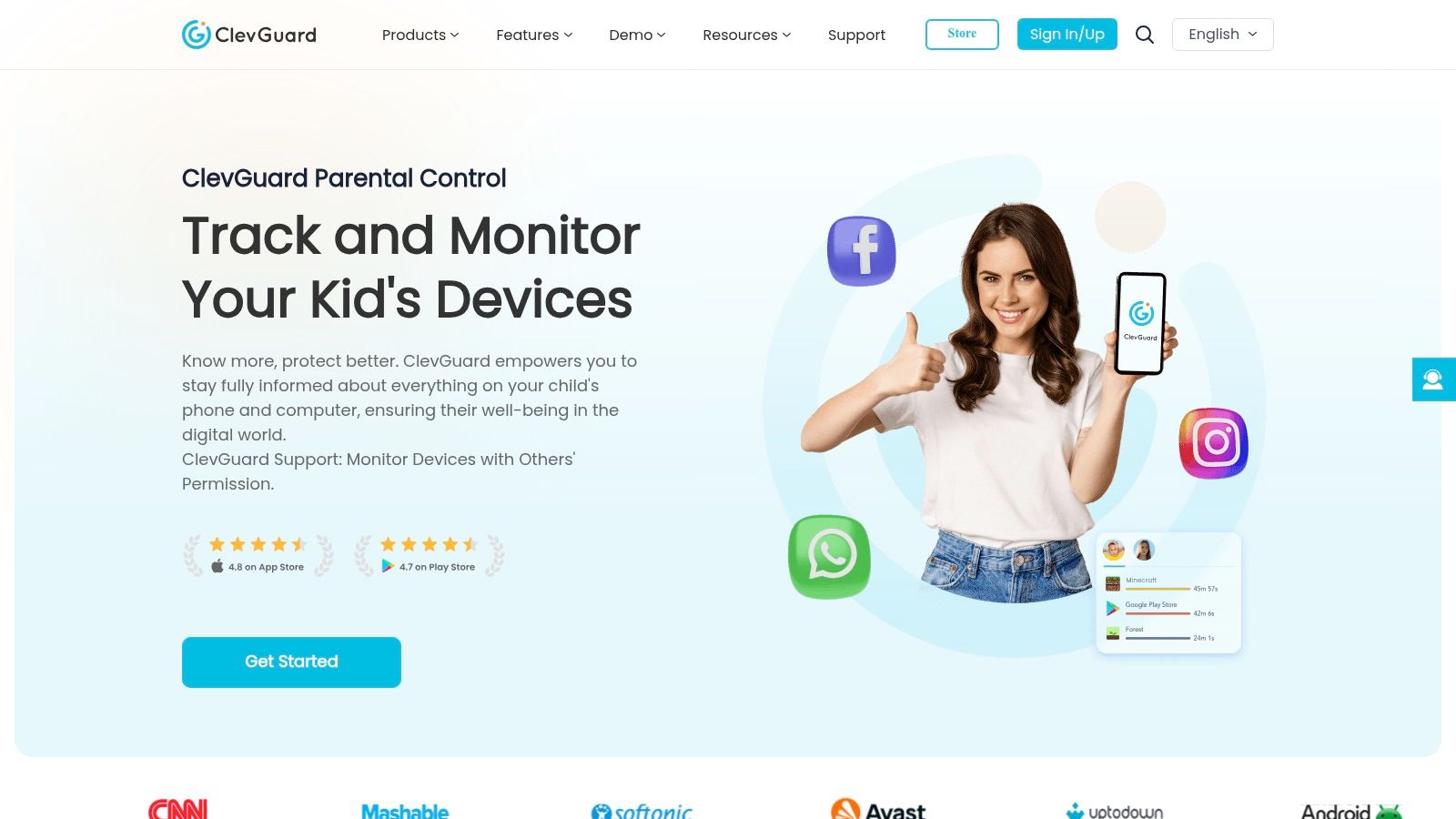
ClevGuard, formerly known as Spyzie, stands out as a robust iPhone location history app, offering a comprehensive monitoring solution that goes beyond simple location tracking. Designed primarily for parental control and employee monitoring, it provides a detailed record of location history, packaged with a suite of other monitoring capabilities. This makes it a powerful tool for those needing in-depth location insights, although ethical considerations regarding privacy and consent must be carefully weighed. Its features cater to users requiring a high level of location monitoring, including stealth tracking and detailed reporting, making it a suitable option for those prioritizing security and detailed location data. ClevGuard differentiates itself from basic location history apps by offering advanced features like geofencing and integration with other monitoring tools, catering to a specific user base with more demanding requirements.
For frequent travelers and globetrotters, ClevGuard’s detailed location history logs, complete with timestamps and addresses, can be invaluable for reconstructing itineraries or remembering specific locations visited. Travel bloggers and social media enthusiasts can leverage this data to enrich their content with precise location information. However, for privacy-conscious iOS users, the extensive tracking capabilities might raise concerns. While the stealth operation mode allows for discreet monitoring, it’s crucial to ensure ethical usage and obtain proper consent.
Beyond travel applications, ClevGuard can also serve as a tool for memory journaling and life-logging. The detailed location history provides a digital breadcrumb trail of one’s movements, potentially supplementing entries in a journal or providing context to photos. Although not directly integrated with Apple Watch or Health app data, the location information could offer a separate layer of context for activities recorded by these devices.
ClevGuard’s key features include stealth location tracking with an invisible operation mode, allowing for discreet monitoring. The detailed location history is presented with timestamps and addresses, providing a precise record of movement. Geofencing alerts can be set for designated safe or restricted areas, notifying users when the target device enters or leaves these zones. Furthermore, the app integrates with other monitoring features, including call logs, messages, and app usage, offering a holistic view of the device’s activity. All this data is accessible remotely through a web-based dashboard, providing a centralized platform for monitoring and analysis.
This iPhone location history app provides a comprehensive monitoring solution that extends beyond just location, offering a complete suite of tracking features. Its stealth operation ensures discreet monitoring, which might be beneficial in specific circumstances, while the detailed reporting and analytics dashboard provide valuable insights. Professional customer support and documentation are available to assist users. However, the service comes with relatively expensive subscription plans ranging from $29.99 to $69.99 per month. The setup process can be complex for non-technical users and may require target device setup and potentially jailbreaking. The ethical concerns regarding privacy and consent should be carefully considered before implementing this tool.
Implementing ClevGuard requires access to the target iPhone and may involve some technical steps depending on the iOS version and chosen features. Users need to create an account on the ClevGuard website and select the appropriate subscription plan. Following the instructions provided, the app needs to be installed on the target device. For advanced features like stealth mode or access to certain data, jailbreaking might be necessary, which carries inherent risks and can void the device’s warranty. It is essential to thoroughly research the process and understand the potential implications before proceeding. You can find more information and detailed setup instructions on the official ClevGuard website: https://www.clevguard.com
Compared to simpler iPhone location history apps, ClevGuard offers a significantly more powerful but also more intrusive set of features. While apps like Find My iPhone focus primarily on locating lost devices, ClevGuard provides ongoing monitoring and a wider range of data points. This makes it a suitable choice for specific use cases like parental control or employee monitoring but potentially overkill for users simply seeking to track their personal location history. The choice ultimately depends on individual needs and priorities, balancing the desire for comprehensive monitoring against privacy concerns and the complexity of setup.
7. Glympse
Glympse offers a unique approach to location sharing, distinguishing itself from other iPhone location history apps by prioritizing temporary, time-limited tracking. This makes it an excellent choice for specific scenarios where you want to share your location with someone for a defined period, like meeting up with friends, letting family know your ETA while traveling, or providing temporary access to your location during a guided tour or outdoor adventure. While Glympse stores a history of your shared locations, its strength lies in its ephemeral nature, giving you granular control over who sees your location and for how long. This focus on user-controlled privacy makes it a valuable tool for iPhone users seeking a balance between location sharing and data security. It earns its place on this list by providing a practical and secure way to share real-time location information without the commitment of continuous tracking. Glympse addresses the need for temporary, controlled location sharing, making it ideal for situations where constant monitoring isn’t necessary or desired.
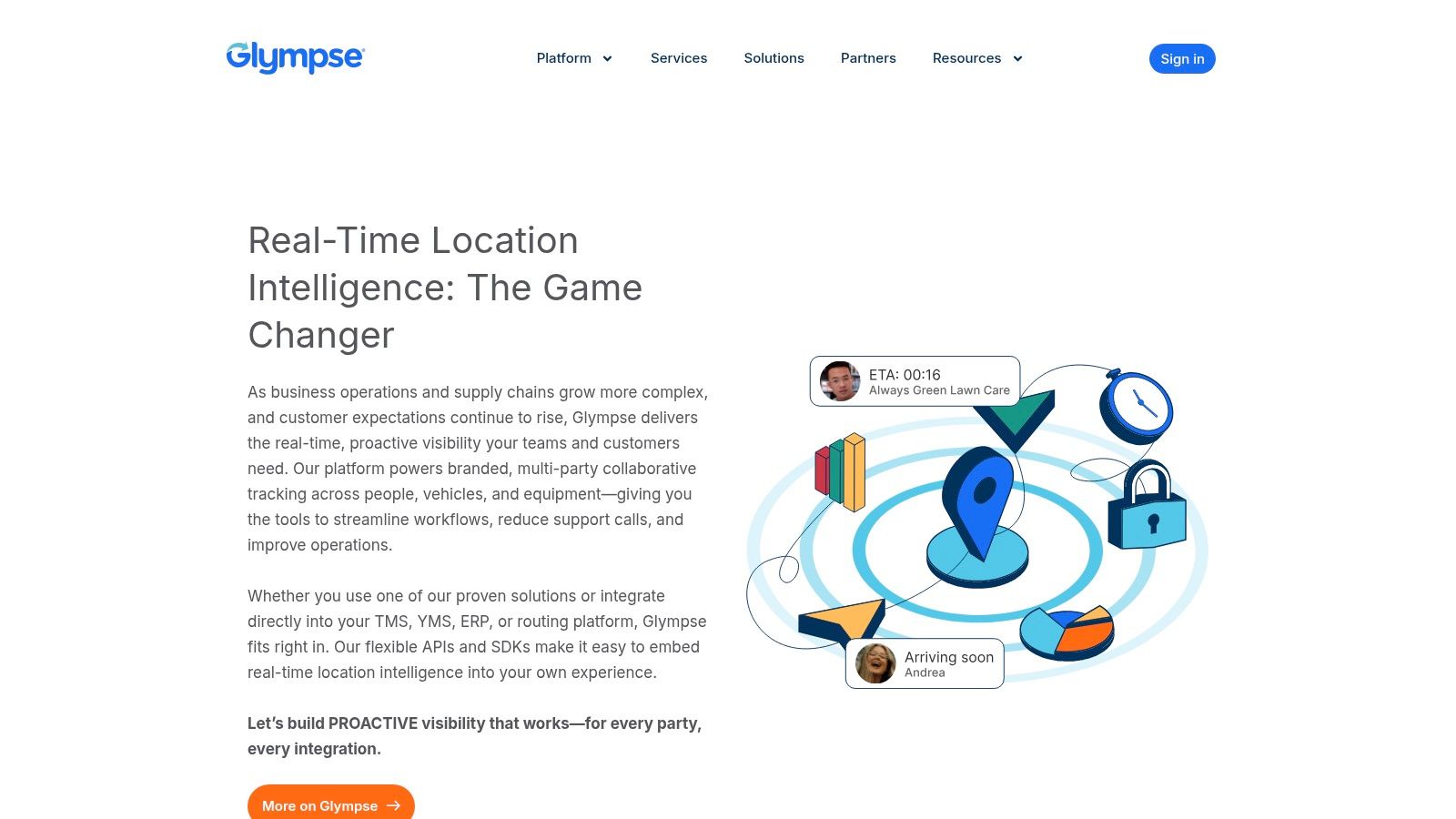
For frequent travelers and globetrotters, Glympse offers a convenient way to keep loved ones informed about their whereabouts without constantly updating them. Share your location for the duration of your flight or road trip, allowing family and friends to follow your progress and estimated arrival time. Privacy-conscious iOS users will appreciate the temporary nature of location sharing, knowing that access is revoked automatically after the predefined timeframe. This control eliminates the need to manually disable sharing and minimizes the potential for unwanted location tracking. Travel bloggers and social media enthusiasts can use Glympse to share their real-time adventures with followers, providing a dynamic and engaging element to their content. Sharing your location during a hike, city tour, or festival allows your audience to virtually join your experience.
Setting up Glympse is straightforward. Download the app from the App Store and grant the necessary location permissions. No account creation is required to share your location. Simply choose a contact, set the duration of sharing (from a few minutes to several hours), and send the Glympse. Recipients receive a link via SMS or other messaging platforms that opens in any web browser, eliminating the need for them to install the app themselves. Glympse offers a free basic service that covers most common use cases. Optional premium features, such as branded sharing for businesses, are available through a subscription but might be expensive for individual users. While primarily designed for temporary sharing, Glympse retains a history of your shared locations, which can be accessed and managed within the app. This history can be helpful for recalling past trips or meetups.
Compared to dedicated family tracking apps, Glympse provides less comprehensive features for continuous monitoring and communication. It lacks functionalities like geofencing or SOS alerts. However, for scenarios requiring temporary and controlled location sharing, its simplicity and ease of use are significant advantages. The absence of account creation for viewers further streamlines the process and makes it accessible to anyone with a web browser. One drawback is the limited permanent location history storage. While past shared locations are recorded, the focus is not on long-term tracking, so historical data may not be as readily available as in dedicated location history apps.
Integrating Glympse with your calendar apps and messaging platforms enhances its practicality. You can quickly share your location directly from a calendar event, simplifying coordination for meetings or group gatherings. Implementation tips include customizing the message accompanying your shared location, specifying the purpose of sharing to provide context for recipients. Consider using the group sharing feature for events and meetups, allowing multiple participants to see each other’s locations in real-time. For iPhone users with an Apple Watch, the Glympse Apple Watch app offers convenient access to location sharing directly from your wrist, further enhancing the on-the-go utility of the app. The website, https://www.glympse.com, provides further information on features and pricing.
iPhone Location Apps Feature Comparison
| App | Core Features / Characteristics | User Experience / Quality ★ | Value Proposition 💰 | Target Audience 👥 | Unique Selling Points ✨ |
|---|---|---|---|---|---|
| 🏆 Acti | Automatic, registration-free journaling; photo, comments, ratings sharing | ★★★★☆ Highly intuitive & private | 💰 Free, no registration, iOS only | Privacy-conscious travelers, life-loggers | ✨ On-device tracking, iOS Health & Calendar integration, multilingual support |
| Life360 | Real-time family GPS tracking, driving reports, geofencing alerts | ★★★★ User-friendly, reliable | 💰 Free basic; $7.99–$24.99/month | Families, safety-focused users | ✨ Emergency SOS, comprehensive family safety features |
| Find My iPhone (Apple) | Device & family location, lost mode, offline finding | ★★★★ Seamless Apple ecosystem | 💰 Free, built-in iOS | Apple users, device recovery | ✨ End-to-end encryption, offline locating, native iOS integration |
| Google Maps Timeline | Automatic location tracking, detailed timeline, data export | ★★★★ Accurate & rich insights | 💰 Free with Google account | General users, Google ecosystem fans | ✨ Extensive data, manual edits, multi-device sync |
| GPS Tracks | Professional route recording, offline maps, export in multiple formats | ★★★★ Precise, technical interface | 💰 One-time $4.99 purchase | Outdoor enthusiasts, professionals | ✨ High-precision GPS, detailed stats, offline support |
| Spyzie (ClevGuard) | Stealth monitoring, geofencing, remote access, detailed logs | ★★★ Moderate usability, complex | 💰 Expensive: $29.99–$69.99/month | Parents, employers needing monitoring | ✨ Stealth mode, comprehensive monitoring beyond location |
| Glympse | Temporary location sharing, no viewer app required, group sharing | ★★★ Simple & intuitive | 💰 Free basic, premium expensive | Casual users, event organizers | ✨ Time-limited sharing, privacy-focused, no app needed for viewers |
Choosing the Right iPhone Location History App for You
Finding the perfect iPhone location history app depends largely on your individual needs and priorities. From family safety (Life360) and device tracking (Find My iPhone) to detailed travel logging (GPS Tracks) and location-based memory journaling, the tools discussed—including Google Maps Timeline, Glympse, and even monitoring solutions like ClevGuard (formerly Spyzie)—offer a diverse range of functionalities. For the privacy-conscious user, understanding data collection practices and security measures is paramount when selecting an iPhone location history app. Travel bloggers and social media enthusiasts might prioritize apps with easy sharing features, while Apple Watch and Health app users could benefit from integration with existing health and activity data. Remember to consider factors like battery consumption, data storage options, and the overall user experience when making your choice.
The most important takeaway is to choose an iPhone location history app that aligns with your specific goals. Whether you’re a globetrotter seeking to document your adventures, a parent looking to ensure family safety, or simply someone interested in gaining a better understanding of your daily movements, the right tool can empower you with valuable insights.
Ready to take control of your location history and unlock a deeper understanding of your journeys? Acti offers a comprehensive and privacy-focused approach to location tracking, perfect for documenting your travels and daily life. Learn more and start your journey with Acti today: Acti
Leave a Reply