
Embark on a Journey of Memories with These Photo Journal Apps
Want to effortlessly preserve your travel adventures and daily moments? This list showcases eight excellent photo journal apps, perfect for capturing life’s experiences with photos and personal reflections. Discover the best photo journal app for your needs, whether you’re a globetrotter, life-logger, or simply want to document your days. These tools solve the problem of scattered memories by providing a centralized, organized hub for your photos and thoughts. We’ll cover Acti, Day One, Journey, Momento, Daylio, Diaro, 1 Second Everyday, and Grid Diary.
1. Acti
Acti stands out as a smart and intuitive photo journal app specifically designed for iOS, transforming the way you document and relive life’s adventures. Unlike other apps that require registration and cloud storage, Acti prioritizes your privacy by leveraging on-device location tracking to automatically log visits to familiar places. This automatic logging feature makes it a powerful tool for frequent travelers and globetrotters who want effortless tracking of their journeys. Whether you’re exploring a new city or revisiting a favorite cafe, Acti captures your experiences without compromising your data security. Beyond just location tracking, it empowers you to enrich each journal entry with photos, comments, and ratings, allowing for a deeply personalized record of your experiences. Sharing your favorite discoveries on social media is also seamless, making it ideal for travel bloggers and social media enthusiasts.
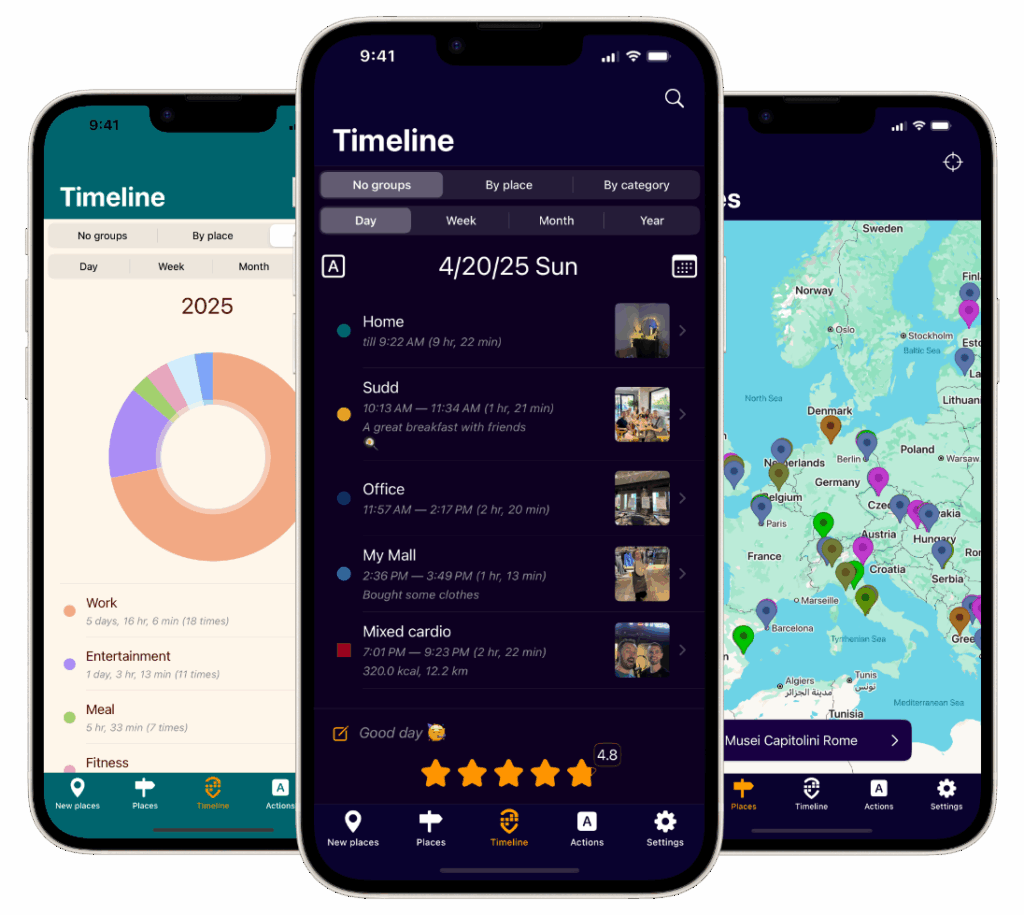
Acti’s customizable timelines offer a unique way to visualize your travel history, allowing you to browse your adventures by day, week, month, or even year. Detailed summaries provide insightful analytics, sorting your visits by location or category to uncover patterns in your travels. For the privacy-conscious iOS user, this offers a comprehensive overview of your activities without sharing data with external servers. The integration with iOS Calendar and the Health app, including Apple Watch compatibility, further enhances its functionality, consolidating your activities in a single, accessible hub. This makes it a valuable tool for memory journaling and life-logging enthusiasts, and those invested in tracking their movements and activities via Apple’s ecosystem. Learn more about Acti and its features, especially its integrated world map for visualizing your travels.
Pros:
- Automatic and privacy-focused tracking without registration or external storage.
- Rich journaling features, including photos, comments, ratings, and social sharing.
- Customizable timelines and detailed analytics for visits by date, place, and category.
- Seamless integration with iOS Calendar and Health apps (including Apple Watch) for a holistic activity overview.
- Multilingual support, including English, Spanish, and Russian, with German and French in development.
Cons:
- Currently available only on iOS devices; no Android version yet.
- Some languages, like German and French, are still in development, limiting full accessibility for non-English/Spanish/Russian users.
While pricing information isn’t readily available, Acti’s focus on privacy and rich feature set makes it a compelling photo journal app for iOS users. If you’re seeking a secure and sophisticated way to document your life’s meaningful moments, Acti is certainly worth exploring. You can download it from the Acti website.
2. Day One
Day One is frequently cited as the leading photo journal app, and for good reason. It sets the standard for digital journaling and photo documentation with its elegant interface and robust feature set. Whether you’re a frequent traveler meticulously documenting your globetrotting adventures, a privacy-conscious iOS user prioritizing secure data storage, or simply a memory journaling enthusiast, Day One offers a compelling platform to chronicle your life. Its ability to create multiple journals with customizable templates allows you to organize different aspects of your life – from travel itineraries and daily reflections to project notes and gratitude logs – all within a single, streamlined app. This makes it a superior choice compared to basic note-taking apps or simpler photo album applications that lack the depth and organizational features of a dedicated photo journal.
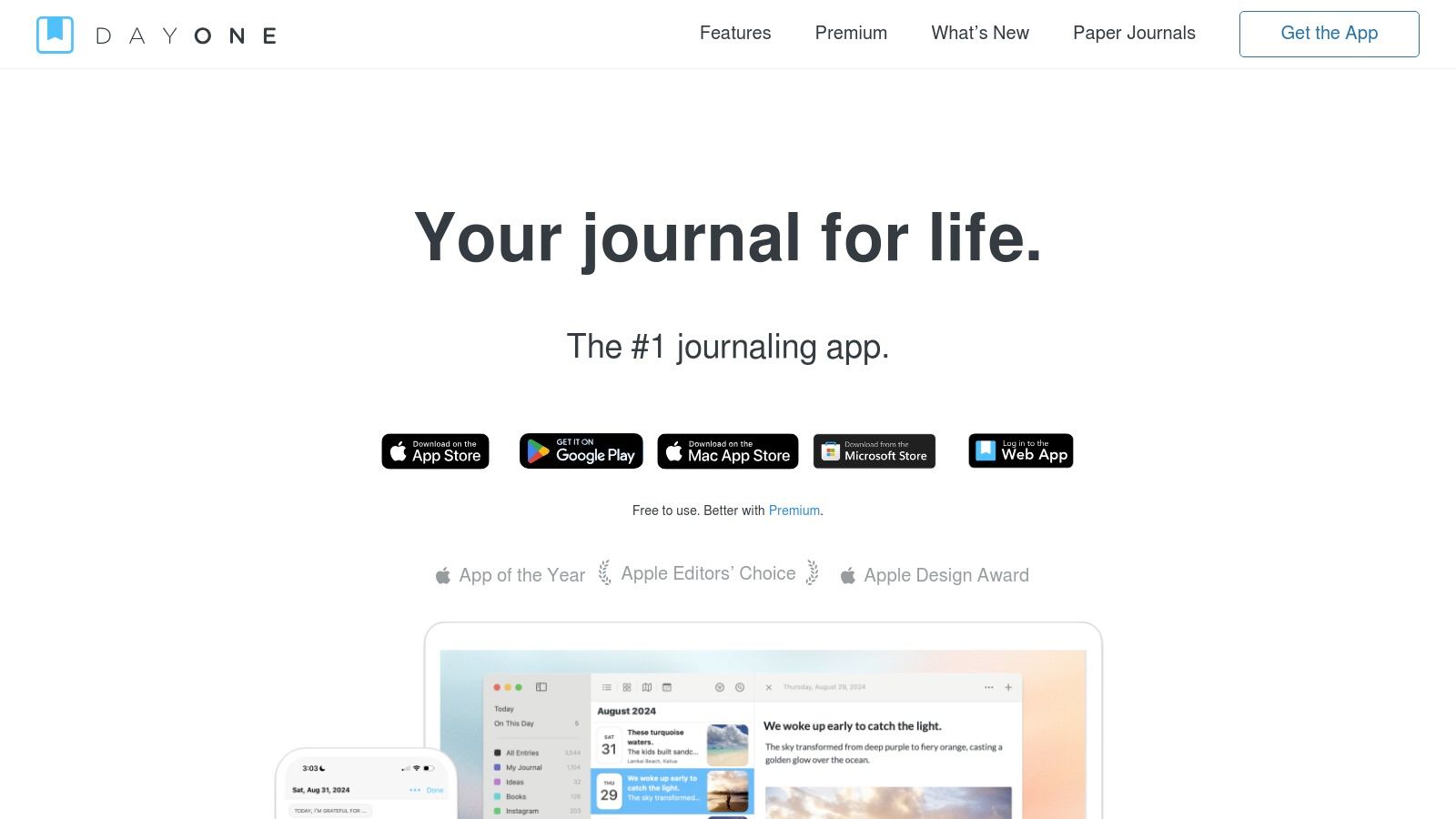
For the travel blogger or social media enthusiast, Day One’s excellent photo management capabilities, coupled with location tagging and automatic weather data, allow for richly detailed entries. Imagine effortlessly creating a captivating travel blog post, complete with stunning photos, precise location information, and even a record of the weather conditions on the day. Privacy-conscious users will appreciate the end-to-end encryption and biometric authentication, ensuring your personal reflections remain private and secure. Even Apple Watch and Health app users can benefit from Day One’s integration, allowing for seamless logging of activity and health data within their journal entries.
Day One offers features such as audio recording, allowing you to capture the soundscape of your experiences, and Markdown text formatting support for adding rich text and styling to your entries. Its robust search functionality makes it easy to retrieve past entries based on keywords, dates, or locations. The app also benefits from regular updates and improvements, demonstrating the developers’ ongoing commitment to refining the user experience.
While the free version is limited, the premium subscription ($34.99/year) unlocks the full power of Day One, including unlimited photos and videos, multiple journals, and advanced features. It’s worth noting that some advanced features are currently iOS exclusive. This premium model, while potentially a drawback for some, allows Day One to maintain its high-quality features and ongoing development.
Pros:
- Beautiful, intuitive interface
- Excellent photo management capabilities
- Robust search functionality
- Regular updates and improvements
- End-to-end encryption
- Multiple journals with customizable templates
Cons:
- Premium subscription required for most features ($34.99/year)
- Limited free version
- Some advanced features only available on iOS
Website: https://dayoneapp.com/
Implementing Day One into your routine is straightforward. Simply download the app, create an account, and start journaling. Consider setting up daily reminders to cultivate a consistent journaling habit. Experiment with different journals and templates to find what works best for your needs, whether it’s a dedicated travel journal, a daily gratitude log, or a project notebook.
3. Journey
If you’re looking for a seamless photo journal app experience across all your devices, Journey is a strong contender. This cross-platform gem works on iOS, Android, Windows, Mac, and even has a web version, making it incredibly accessible no matter your tech ecosystem. Its clean, minimalist design keeps the focus on your content, allowing your photos, videos, and written reflections to shine. Whether you’re a frequent traveler documenting your adventures, a privacy-conscious user seeking control over your data, or simply someone who values a streamlined journaling experience, Journey has something to offer. Its powerful features allow you to craft rich, multimedia entries complete with multiple photos, videos, audio recordings, and extensively formatted text. Journey goes beyond basic journaling by automatically capturing location data, weather information, and even allows you to track your mood and activities, adding valuable context to your memories.

For the globetrotter, the Atlas view is a game-changer, allowing you to explore your entries by location, visually mapping your adventures across the globe. Travel bloggers and social media enthusiasts will appreciate the ease of creating visually compelling posts, while memory journaling and life-logging enthusiasts will find the comprehensive tracking features invaluable for preserving precious moments. The Calendar and timeline views provide alternative ways to navigate your entries, offering different perspectives on your journey through time. For Apple users, Journey integrates with Apple Watch and Health app, further enhancing its tracking capabilities.
Journey offers a good free tier with basic functionality, allowing you to experience the app before committing to a subscription. Unlocking premium features, such as cloud sync and unlimited photo uploads, requires a subscription priced at $3.99/month or $29.99/year. A one-time purchase option is available for the desktop version, providing a cost-effective alternative for users primarily focused on desktop journaling.
While Journey’s cross-platform availability is a significant strength, it’s worth noting that occasional sync issues between platforms have been reported. Furthermore, some users find the interface slightly less intuitive compared to some competitors. However, its beautiful design with dark mode support, combined with its robust feature set and flexible pricing options, makes Journey a compelling choice for anyone seeking a versatile and powerful photo journal app. You can explore Journey and download it for your preferred platform at https://www.journey.cloud/.
4. Momento: Your Social Media Life, Chronologically Organized
Momento is a photo journal app designed for seamless integration with your social media presence. If you’re a frequent social media user looking for an effortless way to chronicle your online life, Momento is a strong contender among photo journal apps. It automatically imports posts and photos from platforms like Instagram, Facebook, and Twitter, transforming your social media activity into journal entries without the manual effort. This makes it incredibly easy to build a rich and detailed record of your daily life, online and off. Momento shines in its simplicity and ability to effortlessly handle multiple photos within a single entry. Its clean, calendar-based interface makes browsing past memories and moments a breeze.
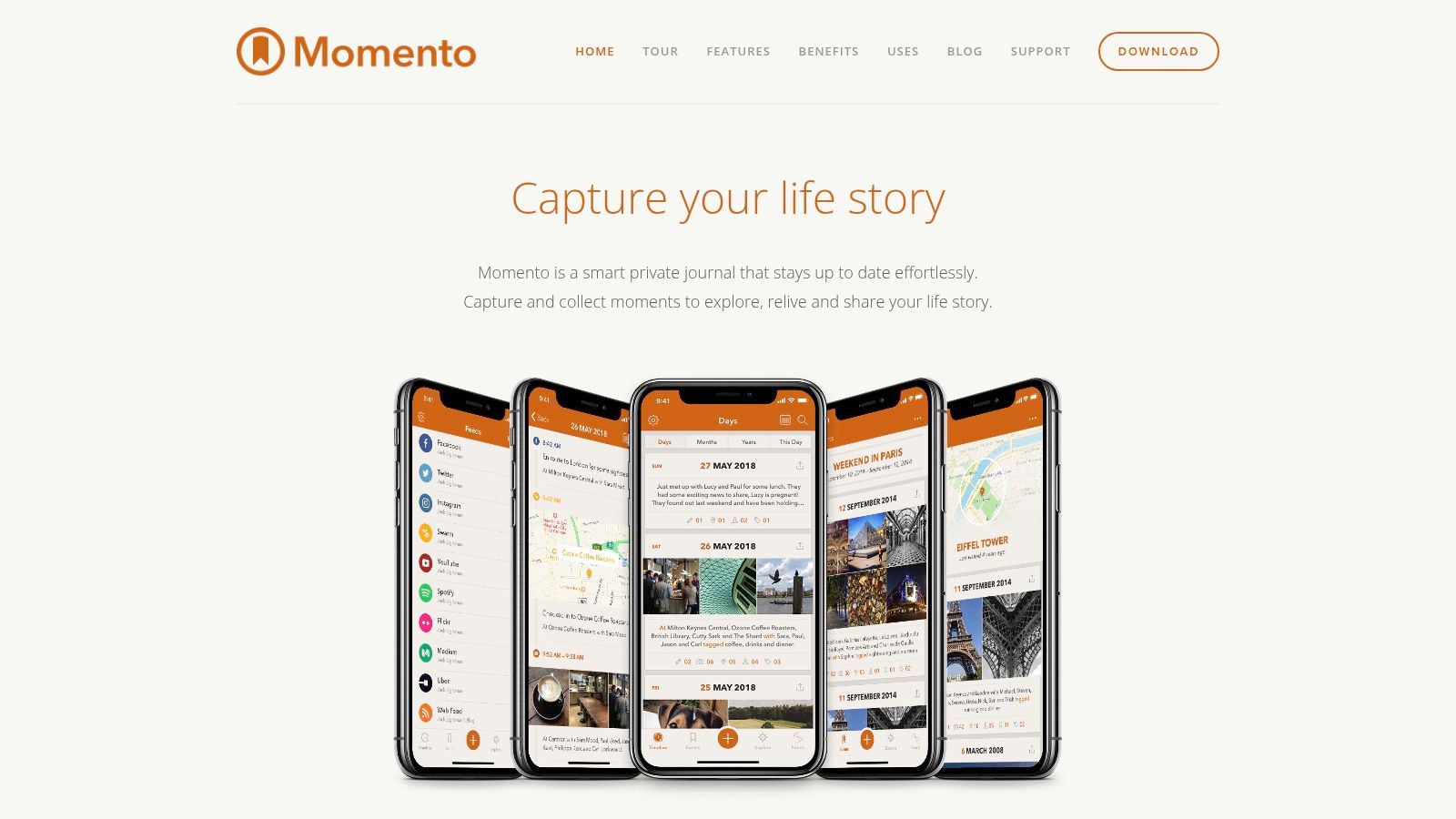
For the globetrotter constantly updating their Instagram with travel photos, or the blogger sharing snippets of their day on Twitter, Momento offers an easy way to consolidate these scattered digital breadcrumbs into a cohesive personal narrative. Imagine effortlessly compiling a month’s worth of travel photos from Instagram, complete with captions and locations, ready to be revisited and reminisced over. Beyond social media integration, you can also manually add journal entries, enriching your digital diary with personal reflections, thoughts, and experiences that might not make it to your public feeds.
Momento provides customizable reminders to encourage consistent journaling. This is especially useful for those who appreciate the idea of regular journaling but struggle with maintaining the habit. Privacy-conscious users will appreciate the robust security features, including passcode and Touch ID/Face ID protection, ensuring your personal reflections remain private. The app also offers basic photo editing tools and filters, allowing you to enhance your photos before adding them to your journal. You can easily share journal entries via text or email, making it simple to share highlights with friends and family.
Key Features: Social media integration and import (Instagram, Facebook, Twitter), Customizable reminders, Passcode and Touch ID/Face ID protection, Photo filters and editing tools, Share entries via text or email.
Pros: Excellent social media integration, User-friendly and intuitive interface, Good free version with core features, Strong privacy controls.
Cons: Premium features (like iCloud sync and feed filtering) require a subscription ($2.49/month or $14.99/year), iOS only (not available for Android), Limited text formatting options compared to some competitors.
Pricing and Technical Requirements: Momento offers a free version with core functionality. A premium subscription unlocks additional features. The app is exclusively available for iOS devices, including iPhones and iPads. Apple Watch and Health app integration is also available, providing further avenues for automated data import.
Setup Tips: Upon installation, connect your desired social media accounts to enable automatic importing. Set up personalized reminders to establish a consistent journaling routine. Explore the settings to customize your experience and discover the full range of features available.
Momento earns its place on this list by offering a unique blend of simplicity and powerful social media integration. While the premium features come at a cost and the app is limited to the iOS ecosystem, its user-friendly interface and effortless archiving capabilities make it a compelling choice for anyone looking to build a comprehensive and easily accessible digital journal. Check out Momento on their website: https://momentoapp.com/
5. Daylio
Daylio stands out as a unique photo journal app because it blends mood tracking with visual journaling. Its core strength lies in its simplicity: you can create quick, bite-sized entries in seconds using an intuitive interface of moods and activities. While not strictly a dedicated photo journal app, Daylio’s ability to link photos to daily mood entries makes it a powerful tool for anyone wanting to document their emotional journey alongside visual memories. This makes it particularly useful for understanding how your environment and activities influence your emotional state. Imagine being able to visually track your mood throughout a trip, connecting specific photos to your feelings at different locations or during different experiences. This functionality makes Daylio an invaluable photo journal app for reflecting on past experiences and identifying patterns in your emotional wellbeing.

For frequent travelers and globetrotters, Daylio provides a quick and easy way to document daily experiences and emotional responses to new places. Privacy-conscious users will appreciate the PIN protection feature, ensuring the security of their personal reflections and photos. Travel bloggers and social media enthusiasts can use Daylio to gather content for their platforms, visually showcasing their journeys and emotional experiences. Memory journaling and life-logging enthusiasts will find its mood tracking and photo association features invaluable for self-reflection and personal growth.
Daylio shines in its ease of use. Its icon-based entry system eliminates the pressure of extensive writing, making it perfect for those who find traditional journaling daunting. The app also generates insightful statistics and patterns from your entries, offering a clear visual representation of your mood trends over time. These statistics can be incredibly valuable for understanding personal well-being and identifying potential triggers for certain moods. Furthermore, customizable reminders ensure consistent journaling, helping you build a comprehensive record of your emotional landscape.
Features:
- Mood and activity tracking with photos
- No writing required – icon-based entries
- Detailed statistics and mood patterns
- Customizable reminders
- PIN protection for privacy
Pros:
- Extremely quick and easy to use daily
- Visual mood tracking with photos
- Detailed data analysis and trends
- Affordable premium version ($4.99 one-time purchase)
Cons:
- Limited text formatting options
- Not primarily designed for extensive photo collections (Can’t add multiple photos per entry in the free version)
Website: https://daylio.net/
While Daylio may not be ideal for managing large photo collections or in-depth written journaling, its streamlined approach to mood tracking and photo association makes it a compelling photo journal app, particularly for those prioritizing quick and efficient emotional documentation. The ability to visualize mood patterns alongside associated photos provides valuable insights into personal well-being, making Daylio a worthwhile addition to this list. The affordable premium version unlocks additional features, enhancing the app’s functionality for a small one-time fee.
6. Diaro
Diaro is a robust photo journal app that excels in organization and privacy, making it a solid choice for anyone looking to document their life’s journey, from casual memories to detailed travel logs. Its comprehensive features cater to both quick jottings and in-depth entries, allowing you to seamlessly blend text, photos, and location data to create a rich tapestry of your experiences. This makes it particularly appealing to frequent travelers, globetrotters, and those who value keeping a detailed record of their lives.
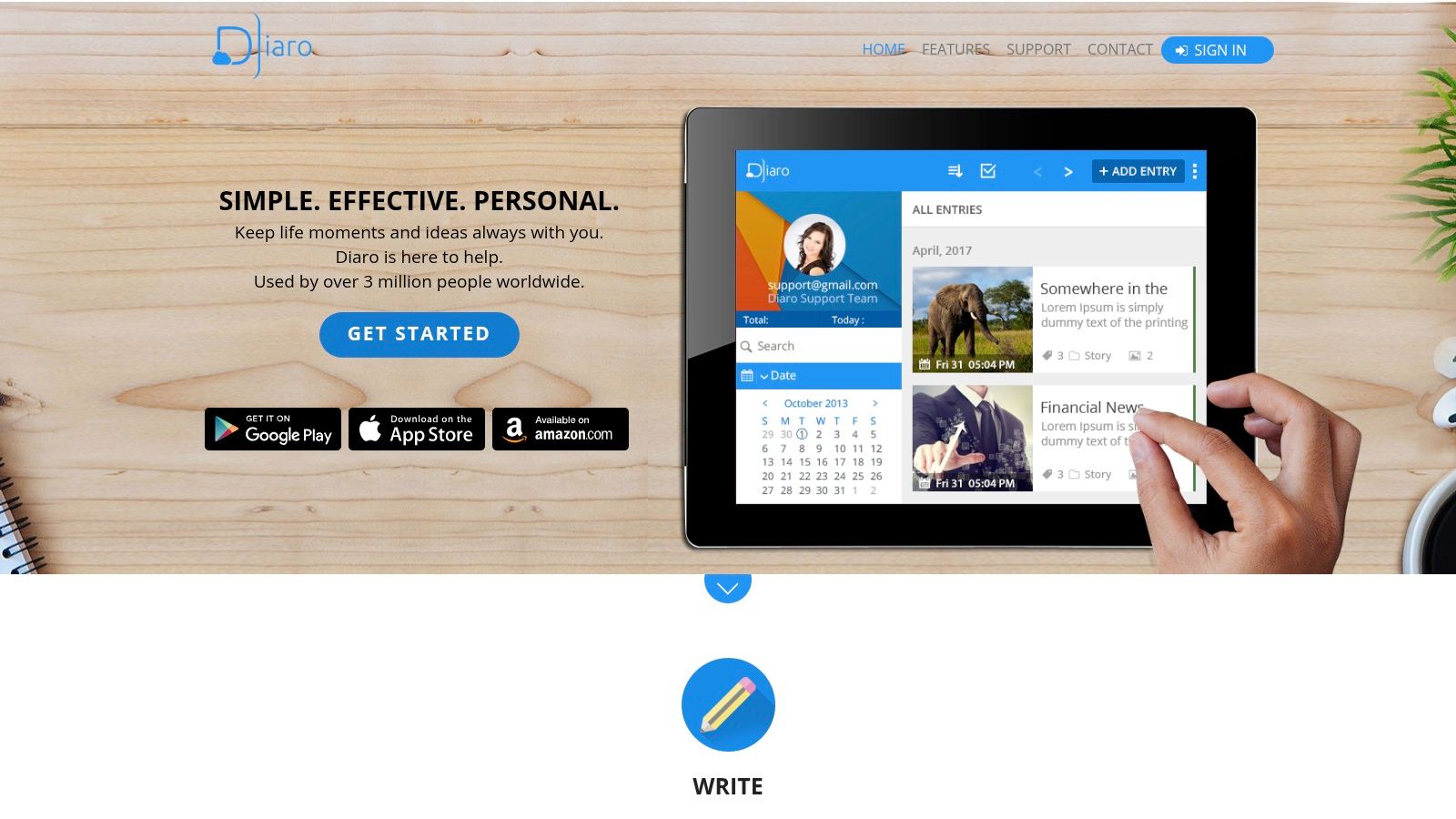
Imagine you’re exploring a new city. With Diaro, you can snap multiple photos of your favorite sights, jot down your impressions, tag the entry with “travel” and the city’s name, and even have the app automatically record your location. Later, searching for entries tagged with that city will bring up all your photos and notes from that trip, presented on a map view for easy navigation. This feature is incredibly useful for travel bloggers and social media enthusiasts who want to quickly curate content from their trips.
Diaro’s organizational system, featuring folders, tags, and location-based entries, sets it apart from simpler photo journal apps. This is a boon for memory journaling and life-logging enthusiasts who accumulate a large number of entries over time. The advanced search functionality allows you to easily pinpoint specific entries, even within a vast archive. While the interface might not be as visually polished as some competitors, its clean design prioritizes functionality and ease of use. The customizable interface with themes allows you to personalize the app to your liking.
For privacy-conscious iOS users, Diaro offers peace of mind with password protection and encrypted backup options. Your personal reflections and photos are kept secure, allowing you to journal with confidence. While Diaro supports cross-platform syncing and offers web access, occasional sync issues between devices can occur. Another limitation is its relatively basic photo editing capabilities. If extensive image manipulation is a priority, you might consider supplementing Diaro with a dedicated photo editing app.
Diaro utilizes a one-time purchase model ($3.99) rather than a subscription, which is a refreshing change in a market dominated by subscription services. This makes it a cost-effective solution for long-term journaling. Diaro is available for iOS, Android, and web, making it accessible across various devices. To get started, simply download the app from your respective app store or visit their website to learn more. Diaro’s combination of robust organization, privacy features, and a one-time purchase price earns its spot on this list of top photo journal apps.
7. 1 Second Everyday
1 Second Everyday (1SE) offers a unique spin on the traditional photo journal app by focusing on video. Instead of static images, 1SE prompts you to capture a single second of video each day. These snippets are then compiled into dynamic time-lapse movies, offering a compelling visual diary of your life. While its core strength lies in video, the app has broadened its scope to incorporate some traditional journaling elements, allowing for multiple seconds of video per day and the inclusion of text notes. This makes it a versatile option for anyone looking to document their lives in a more engaging way.
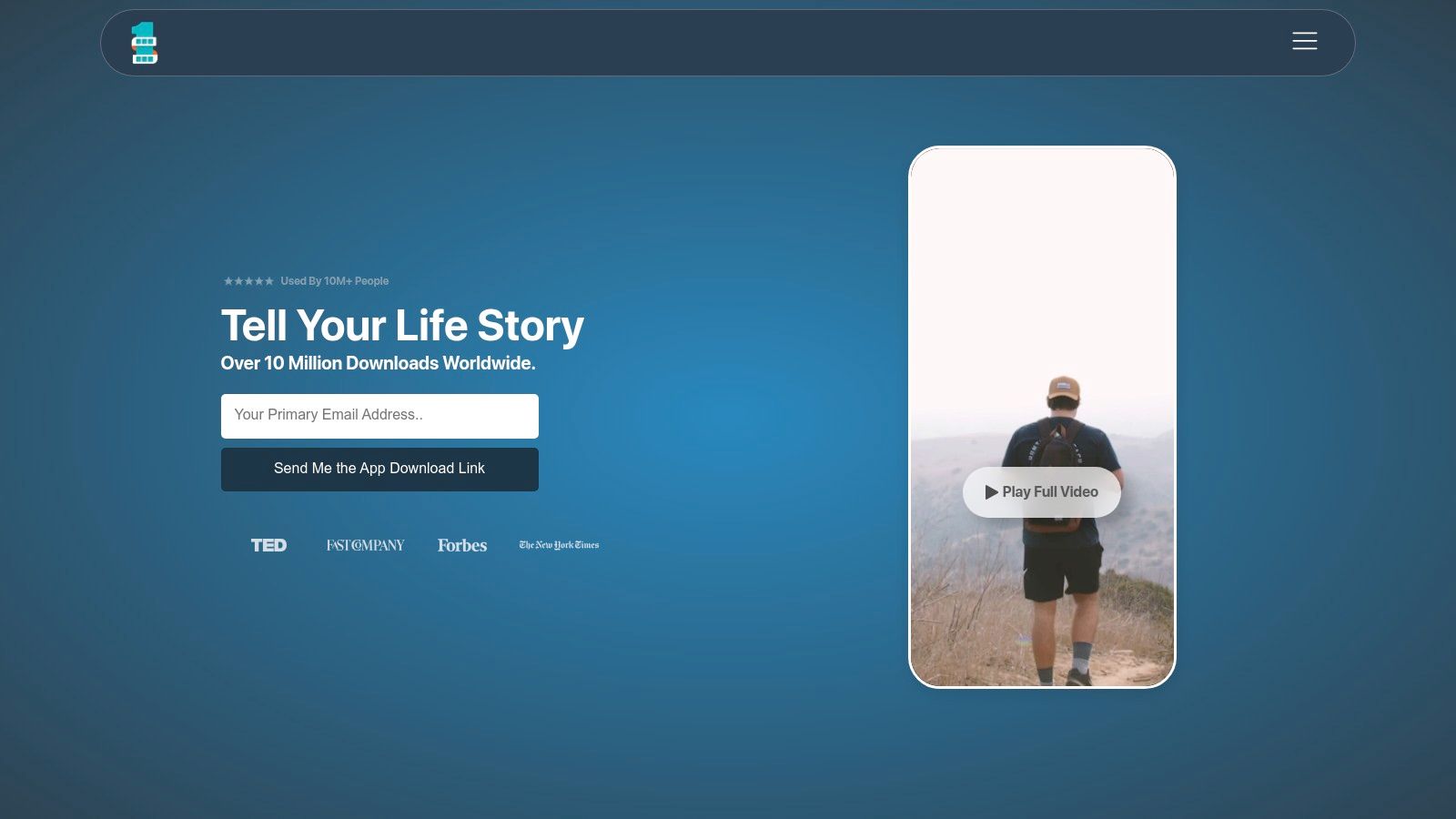
For frequent travelers and globetrotters, 1SE offers a dynamic way to condense epic adventures into digestible, shareable movies. Imagine compiling a year’s worth of travel highlights, each second representing a different country, a breathtaking vista, or a memorable cultural encounter. Privacy-conscious iOS users will appreciate that their video snippets are stored locally on their device, offering a measure of control not always found with cloud-based photo journal apps. Travel bloggers and social media enthusiasts will find the easy-to-create video montages ideal for content creation, adding a unique and engaging element to their platforms. And for memory journaling and life-logging enthusiasts in general, 1SE provides a powerful and efficient way to capture and relive life’s moments.
The core functionality of creating and compiling these daily video snippets is available in the free version. However, unlocking premium features like unlimited projects, editing tools, and higher video quality requires a subscription, priced at $4.99/month or $39.99/year. While 1SE’s video-centric approach is its biggest strength, it also leads to some limitations in terms of traditional journaling features. The text capabilities are less extensive than those found in dedicated text-based journaling apps, making it less suitable for those who prefer to express themselves through writing.
Setting up 1SE is straightforward. Download the app, set reminders to prompt you to capture your daily second, and start recording. The app’s calendar interface provides a visual overview of your captured moments, making it easy to review and edit past entries. Think of it as a visual calendar of your life, with each day represented by a brief but impactful video clip. This method requires minimal daily time commitment, making it sustainable even for busy individuals. Over time, these fleeting moments coalesce into a powerful narrative of your life. Compared to other photo journal apps that might require significant time and effort for curation and editing, 1SE streamlines the process, focusing on the essence of each day.
While 1SE excels in video-based memory keeping, apps like Day One offer more robust features for traditional journaling, including rich text editing, audio recording, and location tagging. If your priority is detailed written reflections, Day One might be a better choice. However, for those seeking a visually captivating and efficient way to document their lives, 1SE is a compelling option. The link to the app’s website is https://1se.co/.
8. Grid Diary
Grid Diary stands out among photo journal apps thanks to its unique structured approach. Instead of a blank page, you’re greeted with a customizable grid system. This grid acts as a template, offering prompts or questions to guide your journaling. Prompts like “What made me smile today?” or “What did I learn today?” help you reflect on your experiences and overcome writer’s block, making it ideal for those new to journaling or who prefer a more guided approach. Each cell within the grid can accommodate both text and a photograph, allowing you to visually document your day while also delving deeper into specific aspects of it. This combination of visual and written journaling makes Grid Diary particularly well-suited for memory keeping, reflection, and mindfulness practices.

For frequent travelers and globetrotters, Grid Diary offers a powerful way to chronicle adventures. Imagine documenting a day exploring a new city: a photo of a stunning landmark coupled with a reflection on its historical significance, a picture of a delicious local dish paired with notes on its flavors, and a selfie with newfound friends alongside a description of the memorable encounter. This structured format facilitates a richer, more organized travel journal compared to simply adding photos to an album.
The app provides daily, weekly, and monthly view options, enabling you to review your entries across different timeframes and gain valuable insights into patterns and personal growth. Pre-made templates catered to various journaling styles, such as gratitude or goal setting, offer further flexibility and allow you to tailor the app to your specific needs. The clean, minimalist interface further enhances the journaling experience, providing a distraction-free environment. Grid Diary also offers export options in PDF and other formats, making it easy to share or archive your journal entries.
While the core functionality is free, unlocking premium features like additional templates and customization options requires a subscription priced at $4.99/month or $29.99/year. One potential drawback is its photo management, which might be considered limited compared to dedicated photo journaling apps. If your primary focus is intricate photo editing and organization, a dedicated photo app might be a better choice. Similarly, those who prefer free-form journaling might find the grid structure a bit restrictive.
Despite these limitations, Grid Diary earns its spot on this list due to its innovative approach. The guided prompts and structured format are invaluable for building a consistent journaling habit and fostering deeper reflection. For anyone looking to combine photos with insightful written entries in an organized and accessible manner, Grid Diary (https://griddiaryapp.com/) is well worth considering.
Preserve Your Precious Moments: Choosing the Right Photo Journal App
Finding the perfect photo journal app can transform how you document and cherish your experiences. From the minimalist elegance of Day One to the versatile features of Journey, the structured approach of Grid Diary, or the video-focused approach of 1 Second Everyday, each app on this list offers a unique take on digital journaling. We’ve explored options catering to various needs, whether you’re a globetrotter seeking seamless cross-platform syncing (like Diaro), a privacy-conscious iOS user drawn to Momento, a social media enthusiast leveraging Daylio’s visual mood tracking, or a memory keeper looking for comprehensive life-logging (like Acti). Remember to consider factors like platform compatibility, privacy features, social sharing options, and the level of structure you prefer when making your decision.
If you’re looking for creative inspiration or help generating ideas for your photo journal, an AI content generator can be a valuable tool. Ai Content Generator from OutBrand can provide prompts and ideas to help you craft compelling narratives around your photos and experiences.
The most important takeaway? The best photo journal app is the one you’ll actually use. Start documenting your journey, no matter how big or small. Every photo, every note, every memory is a piece of your story, waiting to be told. Ready to start capturing life’s adventures with a powerful and intuitive photo journal app? Check out Acti, a comprehensive platform that seamlessly blends photo journaling with activity tracking, providing a holistic view of your daily experiences. It’s an ideal choice for those seeking a deeper connection between their memories and their active lifestyle.
Leave a Reply